Microsoft’s AI ecosystem is growing fast and becoming more confusing by the minute. We now have Microsoft 365 Copilot, Copilot Studio agents, Copilot Cowork, Microsoft Scout, and a growing set of agentic capabilities across the stack. They all sound related, and in some cases they overlap. But they aren’t interchangeable. So, let’s try to un-muddy… Read more: Which Microsoft AI Tool Should You Use: Scout, Copilot Cowork, Microsoft 365 Copilot, or Copilot Studio?
Microsoft recently introduced something new that changes how you interact with Copilot. It’s called Copilot Cowork, and it shifts Copilot from being a conversational assistant to something that can actually take on tasks and execute them on your behalf. Instead of prompting Copilot step by step, you describe the outcome you want and let it… Read more: What Is Copilot Cowork? A New Way to Work with Microsoft 365 Copilot
For years, there’s been two main choices when it comes to building Power Apps: Are you going to build a Canvas app?Or a Model-driven app?(Or sometimes a hybrid of the two.) Both approaches are fundamentally low-code. You drag and drop controls.You write some Power Fx.You connect to data.You’re productive. This model has served millions of… Read more: Power Apps’ Biggest Shift in Years: Vibe.PowerApps.Com
If I were starting with the Power Platform today, with all the AI hype, agents everywhere, and “vibe coding” dominating the conversation, I wouldn’t do what most people expect me to say. And that probably surprises some folks. I didn’t come into this space yesterday. I started with the Power Platform before it was even… Read more: If I Were Starting with the Power Platform Today, Here’s What I’d Actually Do
Have you ever found yourself copying data manually from emails, notes, or spreadsheets into your Power Apps forms and thinking, “There’s got to be a better way”?Good news: there is — and it’s called Smart Paste. Smart Paste in Power Apps lets you paste in text, PDFs, images, and even handwritten notes, and it automatically… Read more: Smart Paste in Power Apps: A Hidden Gem You Need to Try
Conversational AI is no longer a futuristic concept—it’s an expectation. Businesses and users alike now anticipate seamless, intelligent interactions powered by AI-driven agents. Microsoft Copilot Studio enables you to create, customize, and deploy conversational experiences that integrate directly with your data, automate actions, and enhance user engagement—all without requiring deep coding expertise. In this guide,… Read more: Build Your FIRST Copilot Studio Agent in Minutes
SharePoint Agents are AI-powered assistants that help you search and interact with SharePoint data through natural language chat. Each SharePoint site comes with a built-in agent that can answer questions based on the pages, documents, and data stored in that site. What You Can Do with SharePoint Agents How to Use the Default SharePoint Agent… Read more: How to Use SharePoint Agents to Chat with Your SharePoint Data
Happy New Year! I can’t believe it’s 2022 already. I took some time to relax and recharge over the holiday season and I hope you all were able to as well. Have you all heard of this word puzzle game called Wordle? It’s a simple and fun daily word game that I got a little… Read more: My Power Apps UI Design Process
The Dataverse for Teams Perspectives Power Apps Template provides an easy way to add topics and extend the topics with Q&A where anyone in the organization can have a perspective about the topics, and have a discussion about them in Teams. A simple search-and-browse experience makes it easy to find interesting discussions, whether you’re looking… Read more: Dataverse for Teams Perspectives Power Apps Template
The Dataverse for Teams Profile Plus Power Apps Template helps you quickly look up colleagues, understand org structure and roles, and learn about open positions. The ability to filter by project and expertise creates new opportunities for like-minded people to find one another and connect. You can update your profile right from within Teams and… Read more: Dataverse for Teams Profile Plus Power Apps Template
Regex (short for regular expressions) lets us create patterns that help match text in a string. This has been used in traditional programming for years to validate data. We can use regex to validate data to make sure you’ve entered things like passwords, email address, phone numbers, times, etc correctly. Another use case for Regex… Read more: Power Apps Validation and JSON Parsing with Regex
With the Get Changes Action in Power Automate we can determine if a column has changed in your SharePoint list or library. But how do we determine what the value was before it changed? There are a couple extra steps needed in order to figure out what the previous values were. I outline the steps… Read more: Power Automate SharePoint Get Column Changes
Have you ever needed to filter a gallery in Power Apps by a date range? Maybe you want to return all items from the current week? Or maybe the previous week, pay period, month etc. In this blog post and corresponding video I’ll walk you through how to do this in just a few simple… Read more: Filtering by a Date Range in Power Apps
One of the fundamental pieces of Power Apps are data sources. In this video I explain: ✅ How Power Apps connects to data ✅ The differences between the types of data sources ✅ Guidance on choosing between tabular data sources (Excel, SharePoint, Dataverse, SQL) 🔗 Links 🔗 🔗 Data Source Learn Path: https://aka.ms/april/powerapps-data-sources 🔗 Understanding… Read more: Power Apps Data Sources Explained
Do you struggle to keep up with what’s new in the Power Platform? You aren’t alone and that’s exactly why I started Power Platform Rewind! In this monthly series I will rewind and recap all the important Power Platform related news and announcements for the month. This month you’ll learn all about the new native… Read more: Power Platform Rewind March 2021
Happy 20th Anniversary SharePoint! 🍰 In this video, I show the brand NEW SharePoint List Formatting for Grouped Views functionality! You can use this to apply custom styling to the group headers and footers of your SharePoint lists. I show you real life use cases using the Microsoft Lists Asset Manager Template. 🔗 Links 🔗… Read more: SharePoint List Formatting for Grouped Views
In this introductory video I explain all of the different types of flows you can create in Power Automate and where you might use them. I’ll go over each of these types of flows : ✅ Business Process Flows ✅ Desktop Flows ✅ Automated Flows ✅ Instant Flows ✅ Scheduled Flows Plus I’ll show a… Read more: Power Automate Flow Types Explained
Have you heard the news? Power Automate Desktop is now FREE for Windows 10 users! 😀. Read more here: Automate tasks with Power Automate Desktop for Windows 10—no additional cost | Power Automate Blog (microsoft.com) In this introductory video I will walk you through what Power Automate is, discuss the differences in desktop vs cloud… Read more: Power Automate Desktop for Windows 10 Intro
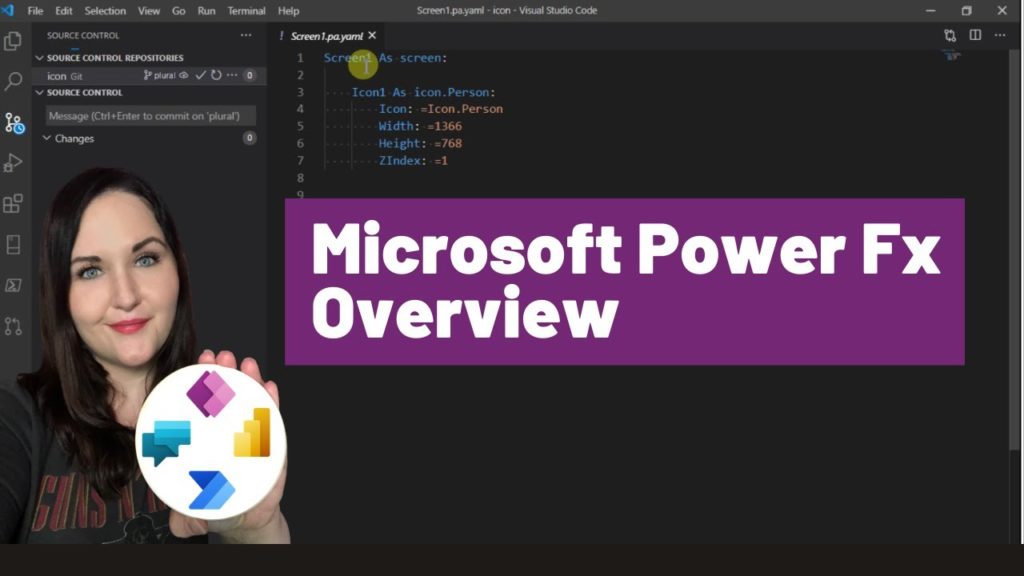
One of the big Power Platform announcements at Microsoft Ignite 2021 was Microsoft Power Fx. In this video I break down what Power Fx is, discuss the benefits, what it means for you and the roll out plans all in under 10 minutes! 🔗 🔗 Links 🔗🔗 ✅ Power Fx Overview: https://docs.microsoft.com/en-us/power-platform/power-fx/overview ✅ Power Fx… Read more: Microsoft Power Fx Overview
In this Power Platform Certification Guide you’ll learn all about what certifications are available for the Power Platform, what order to take them in and get some tips on how to study. We’ll review the following certifications: PL-900 – Power Platform Fundamentals PL-100 – Power Platform App Maker Associate PL-200 – Power Platform Functional Consultant… Read more: Power Platform Certification Guide
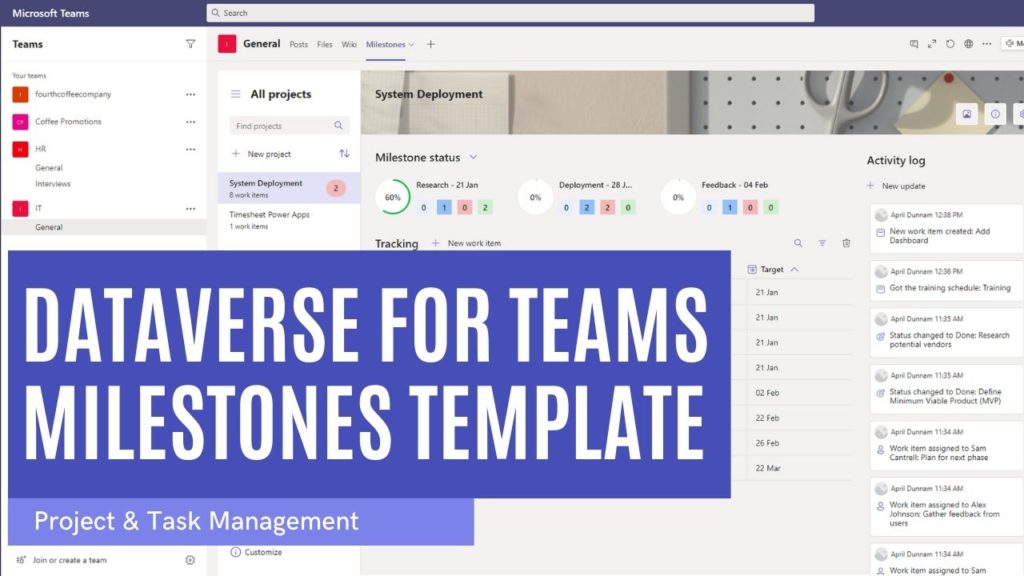
If you’ve been looking for an extensible and customizable application to manage your tasks and projects, then you need to check out the new Milestones template for Dataverse for Teams! 😍 In this video, I’ll show a demo of how the template works and how to install it. Plus, you’ll learn where this template fits… Read more: Dataverse for Teams Milestones Template
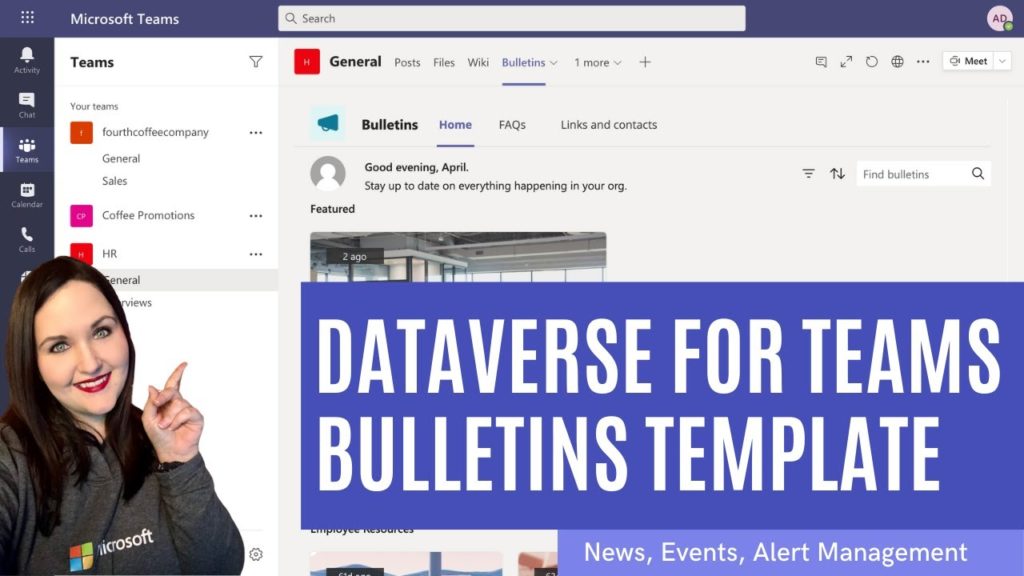
Looking for a better way to manage news, alerts and announcements for your organization? 🤔There’s a Dataverse for Teams Power App Template for that! In this video I’ll walk through the new Dataverse for Teams Bulletin Template. 🔔 I’ll show a demo of how the template works and how to install it. Plus, I’ll give… Read more: Dataverse for Teams Bulletin Template
Have you heard about this JSON thing but aren’t exactly sure what it is? 🤔 In this JSON intro for Microsoft 365 (aka Office 365) people video I cover everything you need to know about JSON in under 20 minutes. You’ll learn what JSON it is, how it works, what it’s used for, what tools… Read more: JSON Intro for Microsoft 365 People
Have you ever wished you could do a search and replace in your Power Apps? Maybe you have wished for a way to collaboratively work on a Power App with your colleagues. Or maybe you’ve dreamed of the day you could use GitHub with your canvas apps. Well thanks to some new tooling that is… Read more: Power Apps Source Code Tool – 10 Minute Overview
Markdown is used in a variety of sites from Github and Stack overflow to Reddit and WhatsApp and even Power Automate. In the simplest terms, Markdown is a mechanism to format text on the web. It belongs to a family of what we call “markup languages”. You might have heard of one of the most… Read more: Markdown Explained in Under 10 Minutes
Do you need to make some simple list form customizations to your SharePoint/Microsoft Lists? In this video I go over some brand new functionality that allows you to do just that! Using the same technology called SharePoint List Formatting that allows us to customize the look and feel of our SharePoint columns and views, we… Read more: Customize SharePoint Forms with JSON
Have you ever wanted to embed content from a website in your Power App? You can thanks to this iFrame PCF Component created by Yash Agarwal! In this video I show how to install the component and how you can use it to iFrame in content from you SharePoint, Microsoft Bookings and OneNote sites! Download… Read more: Power Apps iFrame Component
In this Template Tuesday video I highlight a PCF Component created by Yash Agarwal that lets you export data from Power Apps directly to Excel! I’ll show how to download, install and set up the component so you cant start exporting your Power Apps data to Excel Download Yash’s Component here: https://github.com/yashag2255/exportToExcel Follow Yash on… Read more: Power Apps Export to Excel Component
In this video you’ll learn about the Power Apps Custom Theme Generator that’s part of the Power Platform Center of Excellence (COE). This new theming component lets you create reusable custom themes for your applications! You’ll learn: ✅ What is the COE? ✅ What can the Theming Components do? ✅ How do I install the… Read more: Power Apps Custom Theme Generator with the COE
Are you using Power Apps inside of Microsoft Teams? Have you wished you could create a link that takes you directly to your Teams embedded Power App or better yet to a specific screen in that app? Then check out this video to see how to implement Deep Linking in Teams Embedded Power Apps. I… Read more: Deep Linking in Teams Embedded Power Apps
Microsoft Lists are here! In this video I give a 10 minute overview of Microsoft Lists for Teams. I’ll explain what Microsoft Lists is, the features, availability and how to integrate it with Microsoft Teams. For more on Microsoft Lists: https://resources.techcommunity.microsoft.com/microsoft-lists/
In this video I’ll walk you through all of the steps needed to create a repeating, inline editable table within Power Apps similar to what you would see in SharePoint’s Quick Edit Mode, Excel and InfoPath repeating tables. Key things that you’ll learn in this video include: ✅ Styling elements to look like an editable… Read more: Power Apps Editable Table
In this video I walk you through how you can create an inline reordering mechanism for a Power Apps gallery. I’ll show how to dynamically reorder the gallery items with up and down arrows to move them around. You’ll learn: ✅ How to add items to a collection ✅ How to delete items from a… Read more: Power Apps Reorder Gallery Items
Power Platform Solutions make deploying CDS (now known as Dataflex Pro) based Power Apps and their underlying/related assets a breeze. But what if you want to package and deploy a Power App which uses SharePoint as a data source? In this article, I’m going to outline three approaches to help you package and deploy your… Read more: Deploying SharePoint-Based Power Apps
The most common question that I’m asked is “I’m new to Power Apps, how do I get started?” Learning any new technology can be overwhelming. In this video I list the steps you need to take to start learning Power Apps. If you are brand new to Power Apps then this is the video to… Read more: How to get started with Power Apps
Working from home has become a way of life for many of us due to the COVID-19 Pandemic. While this is new for some, I’ve worked from home for the past 4 years. I wanted to share my work from home set up to help give you some ideas to optimize your home office experience.… Read more: Home Office Must Have’s
The COVID 19 pandemic has caused many of us to have to work from home. If you have housemates, it can prove to be difficult to keep them out of your home office when you’re in a meeting. I had an idea to get a light that I could turn Red so other know “None… Read more: WFH Hack – Smart Busy Lights
I’m thrilled to be accepted to speak at the SharePoint Conference in Las Vegas, May 19-21, 2020! I remember going to the SharePoint Conference back when I was first starting out in IT years ago. This is one of my bucket list conferences to have the opportunity to present at. What’s in it for you?… Read more: Speaking at SharePoint Conference 2020 – Get Your Discount!
Over the years I’ve enjoyed reading year in review blogs from some of my favorite bloggers like Sarah Haase. Since 2019 was such an eventful year for me that I decided to write a quick blog post to recap everything that happened. Stats Blog Posts Published: 22 Blog Views: 110,145 Blog Visitors: 70,145 YouTube Videos… Read more: 2019 Year in Review
Do you need to get the value of a timer control to use in your Power Apps? Perhaps you want to keep track of how long it’s taking your users to fill out a form for example. In this post, I’ll show how you can put that timer value into a more user friendly format.… Read more: Power Apps Timer Output Formatting
Do you have a lot of data that you want to surface up in a gallery inside Power Apps? I’ll show you a trick to take that data and put it in a paginated format so you can reduce vertical scrolling. If you want to see this in action and follow a walk-through in video… Read more: Paginated Galleries in Power Apps
This week I had the opportunity to attend and speak at my first Microsoft Ignite event. I thought I would share a short write up of my experience. I hope you can indulge me as I walk down memory lane. The SharePoint + Teams Wedding I arrived late Sunday afternoon, just in time for SharePint.… Read more: Microsoft Ignite Recap
Since its release roughly 3 years ago, the usage of PowerApps has steadily increased. PowerApps makes it easier than ever for Citizen Developers to create mobile applications with less code and more power. But as Voltaire said, “With great power comes great responsibility”. In my work as a consultant, I’ve mentored many businesses on how… Read more: The PowerApps Pyramid
I’m a huge fan of the SharePoint List Formatting capabilities. It allows non-developers to easily transform their SharePoint lists to make them more useful and visually appealing. To get an idea of some of the things you can do with SharePoint List Formatting check out my other blog posts: Planner-Inspired Task Cards and Twitter Style… Read more: SharePoint List Formatting Tabs
A common requirement when building out forms/applications in PowerApps is to apply security trimming to elements in your app. Take this scenario for example: You have a form which requires an approval. You only want certain users to be able to click the button to mark the form as approved. As with anything in PowerApps,… Read more: PowerApps Security Trimming Options
About a week ago, I did a video with Jon Levesque on his YouTube Channel on Alexa and Flow integration. In the video, I showed how to create an Alexa skill that calls a Flow which reads off your Planner tasks. The beauty of this approach is you can easily create an Alexa Skill with… Read more: Flow + Alexa – Post Message to Teams
I seem to have gotten the SharePoint View Formatting bug. You might have saw my post the other day where I used View Formatting to make list items look similar to a Planner Task Card: https://aprildunnam.com/2019/08/planner-inspired-sharepoint-task-cards/ Today I had another inspiration for View Formatting when implementing a Flow for a client. They wanted to take… Read more: SharePoint Twitter Formatting
SharePoint List Formatting makes it easier than ever to customize the look and feel of your SharePoint list data. There are many samples and ideas to get you started on the Github repo: https://github.com/SharePoint/sp-dev-list-formatting/ You can apply this formatting by inserting blocks of JSON which manipulate the UI of your list items. I’ve been doing… Read more: Planner Inspired SharePoint Task Cards
If you’ve built a few PowerApps then chances are you’re familiar with the Launch() function. You can use the Launch function to open up another website by passing in the URL like so: Launch(“https://www.thrivefast.com”) Say you want to launch Uber and you use the Launch function: Launch(‘https://www.uber.com’) That function will open up Uber in the… Read more: Launching Mobile App from PowerApps
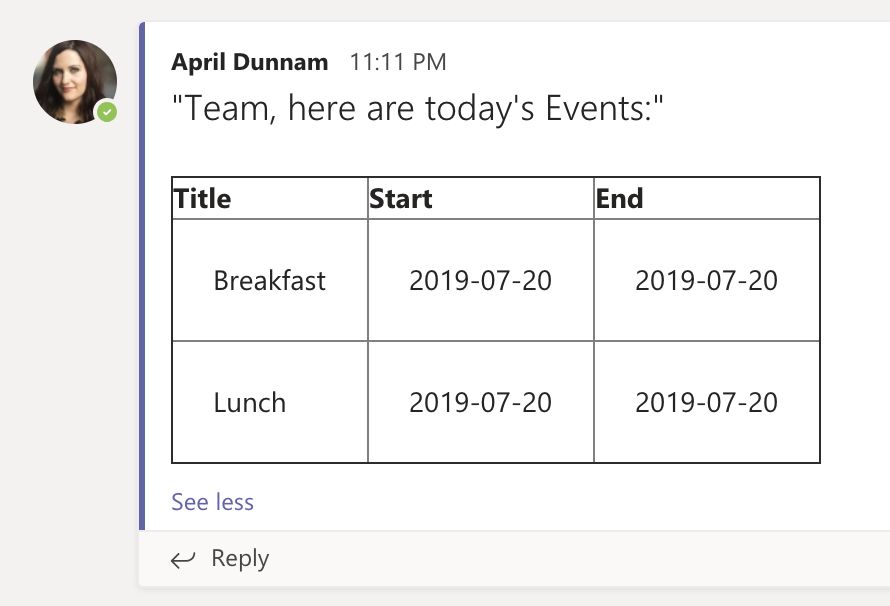
Awhile back I wrote a blog on how to get events from SharePoint and post the events for the day to a Teams Channel. If you’re interested in learning more you can reference that blog here: https://powerusers.microsoft.com/t5/Microsoft-Flow-Community-Blog/Get-SharePoint-Calendar-Events-and-Post-to-Teams/bc-p/324496#M649 The example in the blog utilizes the “Create an HTML Table” action in Flow to output the events… Read more: Formatting HTML Tables in Flow
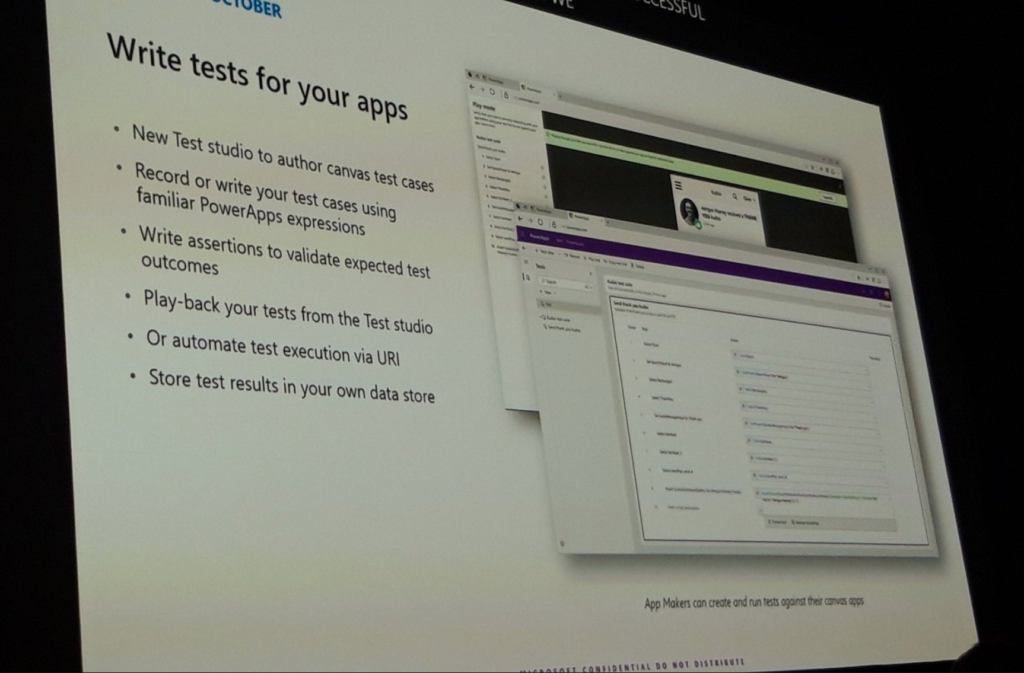
The Microsoft Business Applications conference kicked off this week with an action packed keynote. I’m going to break down and highlight what I feel are the top Power Platform related announcements from the conference. AI Builder in Preview The new AI Builder functionality was revealed in all it’s glory. Now you can take advantage of… Read more: Top Power Platform Announcements at MBAS
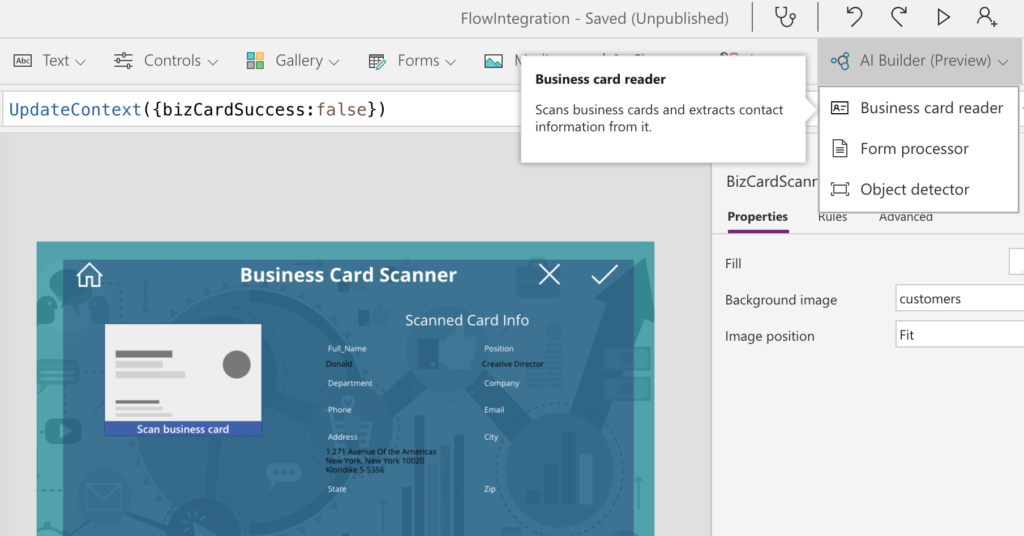
They say that change is the only constant. When it comes to PowerApps, it seems like new features are added at lightning speed. Today I’m going to talk about two of the most recently added PowerApps features: The JSON Function and AI Builder Capability. PowerApps JSON Function Let’s start with the new JSON function. This… Read more: OCR and Image Upload with PowerApps
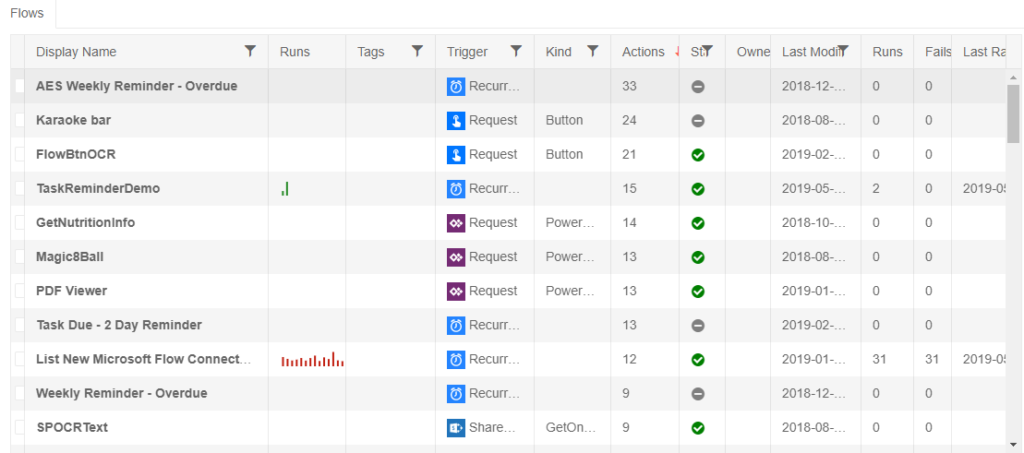
If you follow my blog then you know that I am a big user and fan of Microsoft Flow. As much as I love Flow there are a few things here and there from the management side of things that I find myself wishing I could do. Luckily, John Liu has created a powerful Flow… Read more: Easier Flow Management with Flow Studio
In one of my previous posts, I walked through how you could use SharePoint Column Formatting to launch a stand-alone PowerApp: https://aprildunnam.com/2019/03/open-powerapp-sharepoint-formatting/ I had several people ask “What happens if I click New in the SharePoint list, will it launch my standalone app?”. I didn’t address that in my previous post so I thought I… Read more: Opening PowerApp using SharePoint Column Formatting – Part 2
A common requirement I see in PowerApps is the need to restrict the dates that a user can select in a Date Picker. For example, when setting a due date you want to only allow the user to select a date at least 2 days in the future. Let me preface this post by saying… Read more: PowerApps – Restricting Date Picker Options
Are there any other Dark Mode fans out there? I for one, am on the Dark Mode band wagon. I have it enabled in Visual Studio, Chrome and as soon as Mac OS offered a dark mode I made the switch. My love for all things dark mode got me thinking, wouldn’t it be nice… Read more: Microsoft Flow Dark Mode
In this blog, I’m going to show you how to plot multiple points on a map in PowerApps using Bing Maps. I’ll be using a SharePoint list as my data source for the map locations, however, you can use whatever data source you want. SharePoint Structure The first step is to create a custom list… Read more: Plotting Multiple Map Points in PowerApps
**Important Update** New functionality was added to PowerApps to allow guest access to apps via Azure AD. To accommodate for this, PowerApps now appends your Tenant ID to the URL of your app (see screenshot below for an example): For this method to work you’ll need to change the way your URL is formatted. You’ll… Read more: Opening PowerApp using SharePoint Column Formatting
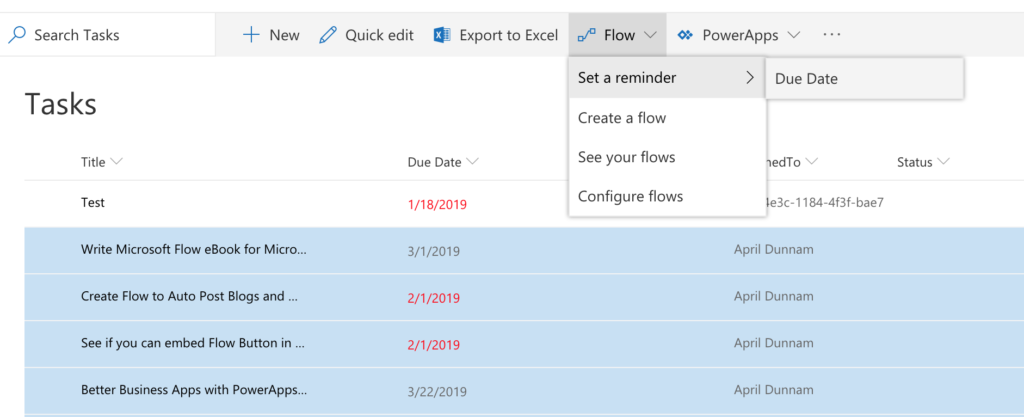
There’s a new Flow on the block that’s all about helping you send reminders based on a date in your SharePoint lists. Some useful scenarios for this type of Flow include: Get a notification the day before a Task is due Get notified 30 days before your driver’s license expires Receive a notification 60 days before… Read more: Using the New Set a Reminder Flow for SharePoint
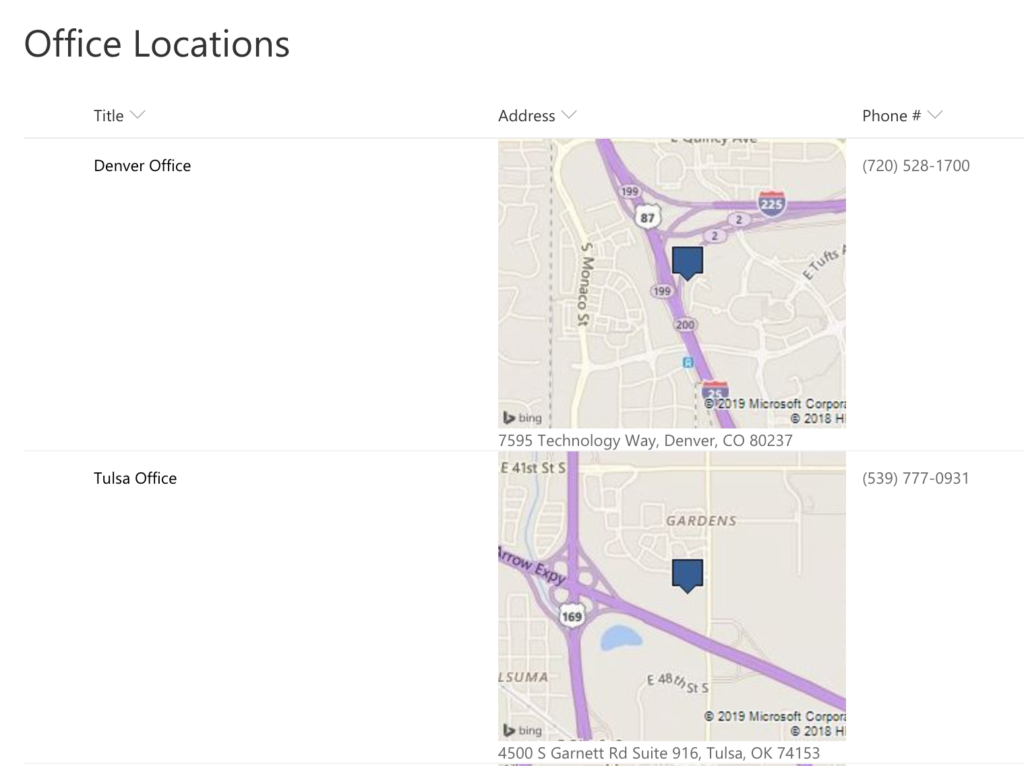
If you haven’t taken a look at the new Column Formatting capabilities in modern SharePoint you are missing out. I wrote a blog post awhile back on how to use Column Formatting to manually execute a Flow. There are a lot of other similar examples out on Github which you can find here: https://github.com/SharePoint/sp-dev-list-formatting. Use Case… Read more: SharePoint Column Formatting – Show Map in Rich Text Field
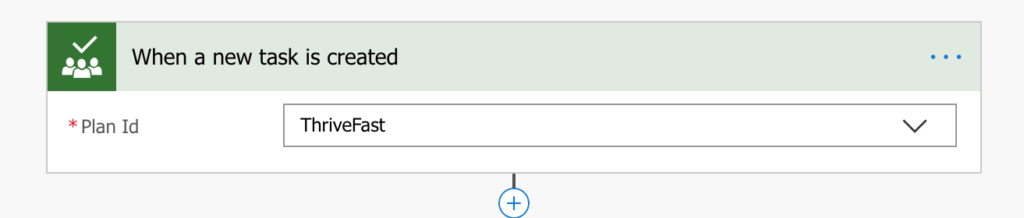
Microsoft Planner is one of the Office 365 Tools that I use pretty heavily. It’s a great lightweight project management tool that helps me organize and see my tasks in a nice Kanban style board. The concept is pretty simple, you create a “Plan” for the project you are working on and associate tasks with… Read more: Aggregating Planner Tasks to SharePoint Using Flow
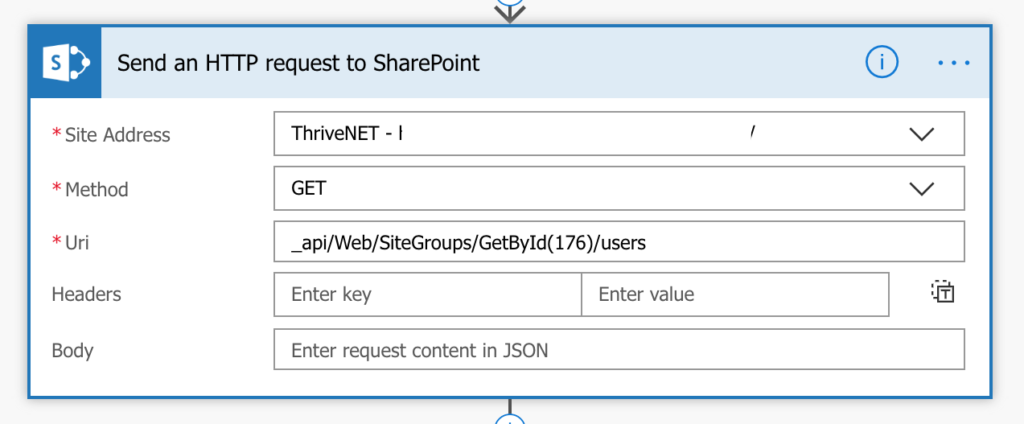
I worked on a project recently where the customer wanted to send an email via Flow to all the members of a given SharePoint Security Group. Normally I would recommend that a distribution list be made and used instead but the client didn’t have the access to create one so I added some logic in… Read more: Flow: Send Email to SharePoint Group Members
We all know Microsoft Flow is a beast of a tool for business process automation. One of the few things it can’t do natively is integration with smart home devices such as WEMO and Phillips Hue lights. So what’s a girl to do if she wants to control her smart lights using Flow? We can… Read more: Microsoft Flow Smart Light Automation with IFTTT
Background I just wrapped up a project where I created a company store application using a combination of SharePoint (for the back-end lists), PowerApps (for the front end interface) and Flow (for the workflow/business logic). I should probably do a detailed video showing off the solution as a whole at some point but for now,… Read more: Manually Executing a Flow from SharePoint with Column Formatting
One of my favorite actions in Flow is the ability to call an HTTP web service, parse the JSON and do whatever you want with the data. The problem is, if you don’t come from a development background then it can be a little intimidating to figure out how to parse the data returned from… Read more: Flow Parse JSON Null Error Fix
I’ve been playing around with the new SharePoint column formatting capabilities lately. Microsoft has released the ability to apply formatting to your MODERN SharePoint list columns via JSON. The PNP team has a ton of great examples out there that you can reference. Here’s a link to some great documentation to get you started: https://docs.microsoft.com/en-us/sharepoint/dev/declarative-customization/column-formatting Desired… Read more: SharePoint Column Formatting – Highlight Null Values
It seems like every day I hear about yet another data breach. I decided it was time to do take every precaution I can to protect my Office 365 account, so I enabled Multi Factor Authentication (MFA) for our company. The day after enabling MFA, I got this email telling me one of my Flow’s… Read more: PSA – Enabling MFA for O365 may break Flow Connections
Recently I had a fairly complex workflow requirement for a client. They had a SharePoint Online list form which needed an approval process. Luckily, Microsoft Flow’s built in approval workflow makes it very simple to set up an automated approval process.. The complex piece of the puzzle is the notification requirement. The Workflow Process This… Read more: Approval Flow with Weekly Reminder – Getting past 30 Day Limit
With the increasing popularity of the cloud, more and more business are moving from legacy on-prem SharePoint to SharePoint Online. The path to SharePoint Online from on-prem can be daunting, especially if you have a lot of custom code. One of the most common code we see in legacy on-prem SharePoint environments are timer jobs.… Read more: Using Flow to Replace SharePoint Timer Jobs
I recently had the opportunity to present with Microsoft at a local Maker Faire event in my home town. Maker Faire is an annual event that celebrates arts, crafts, science projects and the “Do It Yourself” mindset. The event featured everything from a DIY electric motorcycle and robotics competition to custom woodworking and gaming. … Read more: Maker Faire Journey – Contest Automation with Microsoft Flow & Forms
Have you ever thought, wouldn’t it be great if there was an app that could do X (insert your idea here)? Or maybe, I really love this one app but if I could just add this functionality then it would be really useful. Thousands of people each day have brilliant ideas for applications but fail… Read more: PowerApps – More Than a Business Tool
Let’s talk about Business Cards. Yes, it is 2018 and we are all still killing trees and carrying around business cards like we’re Don Draper. I for one am tired of junking up my desk with business cards so I decided to do something about it. Wouldn’t it be cool if you could take a picture… Read more: Business Card Importer with Flow & Cognitive Services
Have I told you lately how much I love Microsoft Flow? I’ve blogged about it in the past, mostly for business use cases but there are so many just plain FUN things you can do with Flow too. I got to thinking about one of my favorite shows, Big Bang Theory and how Sheldon… Read more: Fun with Flow: Karaoke Buddy
Good Morning PowerApps and Flow Fans! With the 1st Annual Microsoft Business Application Summit Keynote wrapping up, it’s time for another installment of April’s Favorite Things: The Microsoft Business Application Summit Edition. The MS Biz Apps Summit is focused on the “Power Platform”: Dynamics, PowerApps, Flow and PowerBI. The big announcements from the keynote… Read more: April’s Favorite Things: Microsoft Business Applications Summit Edition
Today I want to talk about something extremely simple but I find is either not known or overlooked. In PowerApps, you use Form Controls to enter and edit data. These Form Controls have different Modes: New – To add a New Item to your DataSource Edit – To Edit an Existing Item in your… Read more: Same Form Control for New and Edit Mode in PowerApps
PowerApps makes building robust applications and forms fairly simple. Yet, with any software there’s always a learning curve. As a PowerApps consultant and trainer, the most frequently misunderstood thing I have seen with PowerApps is the difference between the Filter, Lookup and Search functions and when to use each one. Let’s take a look… Read more: PowerApps: Lookup vs Filter vs Search Functions
Request Manager Approval for Leave Requests Template In the latest installment of “The More You Know Flow” I will be covering the Request Manager Approval for Leave Requests Flow Template. In my work as a consultant, one of the most consistently requested things I see is to create an automated process for PTO requests. I’ve… Read more: Leave Request Approval Flow Template
The SharePoint Conference kicked off today in Las Vegas. I was eagerly awaiting the keynote to see what Jeff Teper and crew were going to announce. There were so many announcements that I’m not even sure where to start. I’m going to highlight a few of the announcements that I thought were particularly cool and… Read more: April’s Favorite Things: SharePoint Conference 2018 Keynote Edition
A couple weeks ago, I was surfing through Twitter and saw a post about a Microsoft Flow Smart Button. I was bummed when I found out I couldn’t get an official Microsoft Flow Button so I decided to order the Flic Smart Bluetooth button instead. The Flick button allows you to connect to almost any… Read more: Automated Running Late Notice With Flow and Flic Button
I discovered a bug in PowerApps yesterday that I wanted to share so I could spare everyone else from the headache that it caused me. Scenario: I created a Blank PowerApp and added a data connection to a SharePoint list. This list had a few fields, one of them being a date field. I added… Read more: PowerApps Bug: SharePoint Date Field Not Populated
Today I’m going to talk about how and why you would want to pass parameters to use within your PowerApp. Desired Functionality A client has a SharePoint list of employee certifications and their expiration dates. The client wanted to implement a solution where the employee would be notified via e-mail automatically 30 days prior to… Read more: Passing Parameters to a PowerApp
This is part one of a two-part post. In this post, I will show you how to use Microsoft Flow within O365 to send reminder emails based on a date in a SharePoint list. Desired Functionality A client has a SharePoint list of employee certifications and their expiration dates. They want to implement a solution… Read more: Using Flow to send Email Reminder from SharePoint Data
In this post, I’ll show you how to create a cascading dropdown that posts back to lookup fields in SharePoint. Backend Configuration I have two lists in SharePoint Online: 1) Projects – This list holds project information such as the Project #, Project Name, Description, etc. The list has multiple Project #’s. A single Project… Read more: Cascading Dropdowns in PowerApps SharePoint Lookups
Background Over the past year I’ve been doing a lot of work in PowerApps. I’ve tried some of the sample apps and created several apps based off SharePoint lists. Overall, I’ve been pretty impressed with how easy it was to set up and use. A client came to me a couple months ago needing some… Read more: PowerApps Image Storage Issues
It’s that time of year again, the holiday gift giving season has arrived. For some of you that means it’s time for Secret Santa at the office. I decided this would be a great opportunity to showcase how quickly you can build an app with PowerApps. Today I will walk you through how to create… Read more: Build a Secret Santa App in 20 Minutes or less with PowerApps
Today, Microsoft released a new FREE SharePoint Migration Tool. With this free new tool you can: Copy files from a SharePoint 2013 On-Prem Document Library to OneDrive or SharePoint Online Copy files from a file share to OneDrive or SharePoint Online Who’s it for? The End User/Power User/IT Pro who has several documents on a… Read more: Quick Guide to the SharePoint Migration Tool from Microsoft
On Sunday, August 6th 2017 at 1:30am a EF3 tornado ripped through my hometown of Tulsa, Oklahoma going right through a highly populated business area. Remington Tower One of the buildings in it’s path of destruction was the Remington Tower where my company ThriveFast offices out of. The tornado took no mercy on the 19… Read more: From Tornado to Functional – Rapid Application Development with PowerApps
Some of you are probably aware of this old hack to render a calculated column in a SharePoint list as a hyperlink. The hack involves creating a calculated column, typing in your url and making it a number field which forces it to render as html. Easy peasy lemon squeezy right? Unfortunately, effective June 13th,… Read more: Calculated Column as HTML Fix for SharePoint Online
I ran into a strange issue when working with the search result web part on a client’s SharePoint 2013 on-prem environment. I was utilizing the search results web part alongside my people search table item display template to show an employee directory. The client noticed that in some searches, it wasn’t returning all of the… Read more: SharePoint Search Results WebPart Not Returning All Results
I’ve been doing a lot with Search Web Parts in SharePoint lately. Employee Directory’s are a common requirement for intranets these days. I’ve been working on employee directories for several clients lately. One particular client wanted the employee results to be displayed in a table format with a pop-up when you click the person’s name… Read more: SharePoint Employee Directory Table Template with Pop-up
I’m sure we are all familiar with the Silverlight based built-in SharePoint Org Chart. And if we’re being honest I’m sure we’d all agree that it kinda sucks. It’s a great idea and may be ok in some simple cases but reality is it just isn’t that customizable and a lot of the time doesn’t… Read more: SharePoint Org Chart jQuery Based Solution
I’ve been working a lot lately with the SharePoint REST API and the “Call a Web Service” Action in SharePoint Designer. Like a lot of things with Microsoft, I found that the REST API is awesome, however, it makes certain things overly complicated to do 🙂 One of the things is setting a Hyperlink (URL)… Read more: SharePoint Designer 2013 Rest API Set URL/Hyperlink Field
SharePoint has a handy feature that allows you to save a site as a Site Template. This comes in handy when you want to build out a consistent structure for you sites with particular lists/libraries, etc. I’ve learned there are some caveats to this feature though. For starters, you cannot have the Publishing Features enabled… Read more: Save Site as Template SharePoint 2013: Public Service Announcement
One of the projects I recently worked on was a public facing website on SharePoint 2013 Online/Office 365. One of the requirements of this site was multi-lingual content in English and French. I noticed that when the French content was added directly to the content of the SharePoint page, the character encoding worked just fine.… Read more: SharePoint Character Encoding Fix
I recently ran into an issue with a client who was using iPad’s heavily to access their SharePoint 2013 Online site. We had created some code on the page that was working great….in every browser expect mobile. We got an iPad emulator set up and discovered that when you login to the SharePoint Online site… Read more: Disable Mobile View SharePoint 2013 Online
SharePoint 2013 Introduced a wonderful new feature with the Design Manager. For those of you who haven’t used it or read about it, Design Manager lets you easily create, package, and deploy a complete branding (design) package for your SharePoint site. One of the things you can do with Design Manager is package up your… Read more: Error After Deactivating Design Package – SharePoint 2013
You may or may not know about a useful solution on CodePlex called “Useful SharePoint Designer Custom Workflow Activities”. This WSP Solution has several pre-built workflow activities to extend SharePoint Designer including “Send Email with HTTP File Attachment”, “Start Another Workflow”, just to name a few. The solution, which was built for SharePoint 2010, includes… Read more: Getting Useful SharePoint Designer Customer Workflow Activities to work in SharePoint 2013
Problem: You need to hide the “View All Site Content” Link in the Quick Launch and Site Actions Menu from all users except Admin UsersSolution: Make a copy of the v4.master (If SharePoint 2010) or seattle.master (If SharePoint 2013) and re-name it to your liking. Open the file and search for the following block of… Read more: SharePoint: Hide “All Site Content” Link to Non-Admin Users
Problem I had a client who had an e-mail enabled library set up in SharePoint 2010. Whenever they tried to open up a file, such as Excel, from SharePoint and save it back to the server, they would get an error that said “The file cannot be saved because some properties are missing or invalid”:… Read more: SharePoint E-Mail Enabled Library Missing Required Properties Error
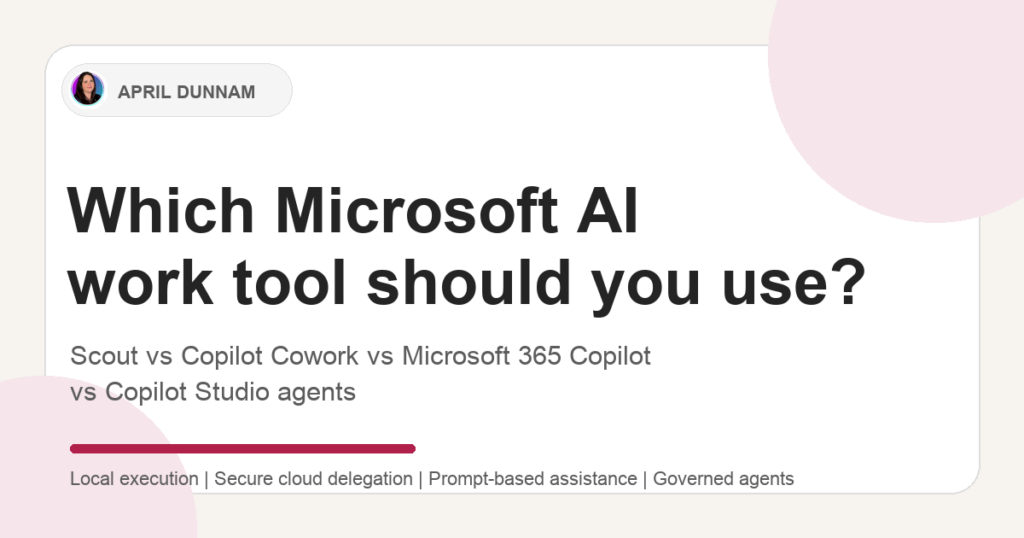 Microsoft’s AI ecosystem is growing fast and becoming more confusing by the minute. We now have Microsoft 365 Copilot, Copilot Studio agents, Copilot Cowork, Microsoft Scout, and a growing set of agentic capabilities across the stack. They all sound related, and in some cases they overlap. But they aren’t interchangeable. So, let’s try to un-muddy… Read more: Which Microsoft AI Tool Should You Use: Scout, Copilot Cowork, Microsoft 365 Copilot, or Copilot Studio?
 Microsoft recently introduced something new that changes how you interact with Copilot. It’s called Copilot Cowork, and it shifts Copilot from being a conversational assistant to something that can actually take on tasks and execute them on your behalf. Instead of prompting Copilot step by step, you describe the outcome you want and let it… Read more: What Is Copilot Cowork? A New Way to Work with Microsoft 365 Copilot
 For years, there’s been two main choices when it comes to building Power Apps: Are you going to build a Canvas app?Or a Model-driven app?(Or sometimes a hybrid of the two.) Both approaches are fundamentally low-code. You drag and drop controls.You write some Power Fx.You connect to data.You’re productive. This model has served millions of… Read more: Power Apps’ Biggest Shift in Years: Vibe.PowerApps.Com
 If I were starting with the Power Platform today, with all the AI hype, agents everywhere, and “vibe coding” dominating the conversation, I wouldn’t do what most people expect me to say. And that probably surprises some folks. I didn’t come into this space yesterday. I started with the Power Platform before it was even… Read more: If I Were Starting with the Power Platform Today, Here’s What I’d Actually Do
 Have you ever found yourself copying data manually from emails, notes, or spreadsheets into your Power Apps forms and thinking, “There’s got to be a better way”?Good news: there is — and it’s called Smart Paste. Smart Paste in Power Apps lets you paste in text, PDFs, images, and even handwritten notes, and it automatically… Read more: Smart Paste in Power Apps: A Hidden Gem You Need to Try
 Conversational AI is no longer a futuristic concept—it’s an expectation. Businesses and users alike now anticipate seamless, intelligent interactions powered by AI-driven agents. Microsoft Copilot Studio enables you to create, customize, and deploy conversational experiences that integrate directly with your data, automate actions, and enhance user engagement—all without requiring deep coding expertise. In this guide,… Read more: Build Your FIRST Copilot Studio Agent in Minutes
 SharePoint Agents are AI-powered assistants that help you search and interact with SharePoint data through natural language chat. Each SharePoint site comes with a built-in agent that can answer questions based on the pages, documents, and data stored in that site. What You Can Do with SharePoint Agents How to Use the Default SharePoint Agent… Read more: How to Use SharePoint Agents to Chat with Your SharePoint Data
 Happy New Year! I can’t believe it’s 2022 already. I took some time to relax and recharge over the holiday season and I hope you all were able to as well. Have you all heard of this word puzzle game called Wordle? It’s a simple and fun daily word game that I got a little… Read more: My Power Apps UI Design Process
 The Dataverse for Teams Perspectives Power Apps Template provides an easy way to add topics and extend the topics with Q&A where anyone in the organization can have a perspective about the topics, and have a discussion about them in Teams. A simple search-and-browse experience makes it easy to find interesting discussions, whether you’re looking… Read more: Dataverse for Teams Perspectives Power Apps Template
 The Dataverse for Teams Profile Plus Power Apps Template helps you quickly look up colleagues, understand org structure and roles, and learn about open positions. The ability to filter by project and expertise creates new opportunities for like-minded people to find one another and connect. You can update your profile right from within Teams and… Read more: Dataverse for Teams Profile Plus Power Apps Template
 Regex (short for regular expressions) lets us create patterns that help match text in a string. This has been used in traditional programming for years to validate data. We can use regex to validate data to make sure you’ve entered things like passwords, email address, phone numbers, times, etc correctly. Another use case for Regex… Read more: Power Apps Validation and JSON Parsing with Regex
 With the Get Changes Action in Power Automate we can determine if a column has changed in your SharePoint list or library. But how do we determine what the value was before it changed? There are a couple extra steps needed in order to figure out what the previous values were. I outline the steps… Read more: Power Automate SharePoint Get Column Changes
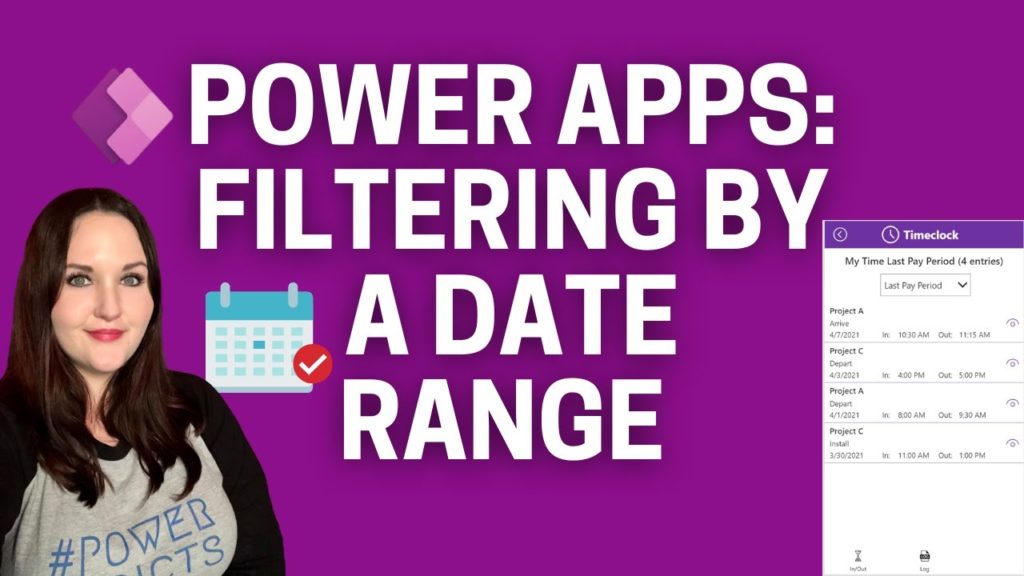 Have you ever needed to filter a gallery in Power Apps by a date range? Maybe you want to return all items from the current week? Or maybe the previous week, pay period, month etc. In this blog post and corresponding video I’ll walk you through how to do this in just a few simple… Read more: Filtering by a Date Range in Power Apps
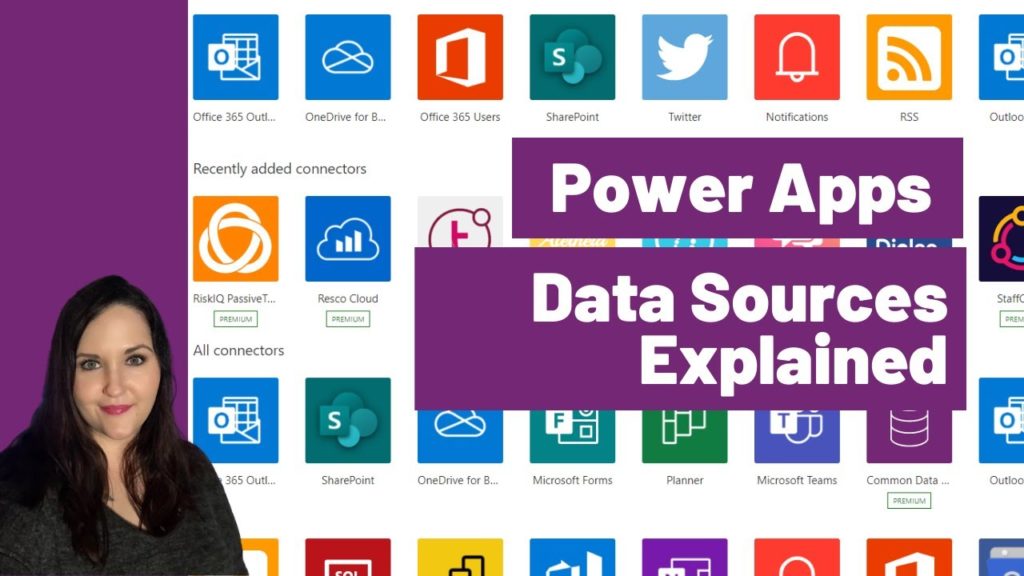 One of the fundamental pieces of Power Apps are data sources. In this video I explain: ✅ How Power Apps connects to data ✅ The differences between the types of data sources ✅ Guidance on choosing between tabular data sources (Excel, SharePoint, Dataverse, SQL) 🔗 Links 🔗 🔗 Data Source Learn Path: https://aka.ms/april/powerapps-data-sources 🔗 Understanding… Read more: Power Apps Data Sources Explained
 Do you struggle to keep up with what’s new in the Power Platform? You aren’t alone and that’s exactly why I started Power Platform Rewind! In this monthly series I will rewind and recap all the important Power Platform related news and announcements for the month. This month you’ll learn all about the new native… Read more: Power Platform Rewind March 2021
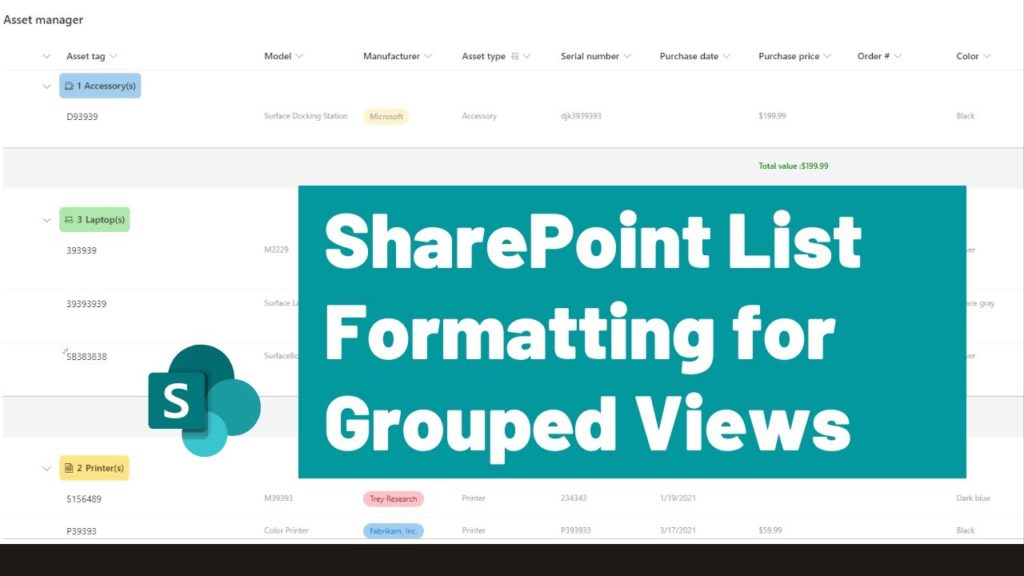 Happy 20th Anniversary SharePoint! 🍰 In this video, I show the brand NEW SharePoint List Formatting for Grouped Views functionality! You can use this to apply custom styling to the group headers and footers of your SharePoint lists. I show you real life use cases using the Microsoft Lists Asset Manager Template. 🔗 Links 🔗… Read more: SharePoint List Formatting for Grouped Views
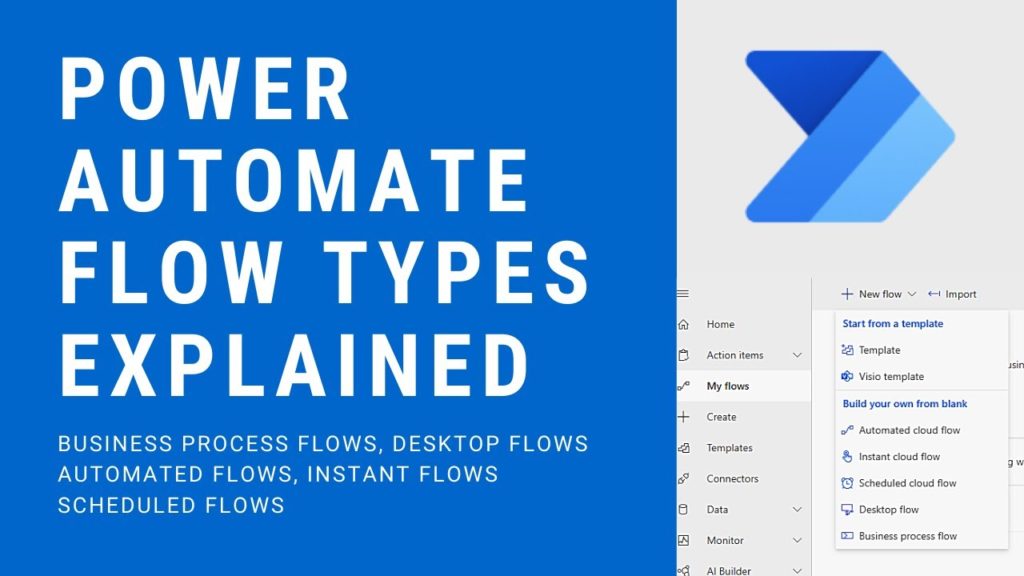 In this introductory video I explain all of the different types of flows you can create in Power Automate and where you might use them. I’ll go over each of these types of flows : ✅ Business Process Flows ✅ Desktop Flows ✅ Automated Flows ✅ Instant Flows ✅ Scheduled Flows Plus I’ll show a… Read more: Power Automate Flow Types Explained
 Have you heard the news? Power Automate Desktop is now FREE for Windows 10 users! 😀. Read more here: Automate tasks with Power Automate Desktop for Windows 10—no additional cost | Power Automate Blog (microsoft.com) In this introductory video I will walk you through what Power Automate is, discuss the differences in desktop vs cloud… Read more: Power Automate Desktop for Windows 10 Intro
 One of the big Power Platform announcements at Microsoft Ignite 2021 was Microsoft Power Fx. In this video I break down what Power Fx is, discuss the benefits, what it means for you and the roll out plans all in under 10 minutes! 🔗 🔗 Links 🔗🔗 ✅ Power Fx Overview: https://docs.microsoft.com/en-us/power-platform/power-fx/overview ✅ Power Fx… Read more: Microsoft Power Fx Overview
 In this Power Platform Certification Guide you’ll learn all about what certifications are available for the Power Platform, what order to take them in and get some tips on how to study. We’ll review the following certifications: PL-900 – Power Platform Fundamentals PL-100 – Power Platform App Maker Associate PL-200 – Power Platform Functional Consultant… Read more: Power Platform Certification Guide
 If you’ve been looking for an extensible and customizable application to manage your tasks and projects, then you need to check out the new Milestones template for Dataverse for Teams! 😍 In this video, I’ll show a demo of how the template works and how to install it. Plus, you’ll learn where this template fits… Read more: Dataverse for Teams Milestones Template
 Looking for a better way to manage news, alerts and announcements for your organization? 🤔There’s a Dataverse for Teams Power App Template for that! In this video I’ll walk through the new Dataverse for Teams Bulletin Template. 🔔 I’ll show a demo of how the template works and how to install it. Plus, I’ll give… Read more: Dataverse for Teams Bulletin Template
 Have you heard about this JSON thing but aren’t exactly sure what it is? 🤔 In this JSON intro for Microsoft 365 (aka Office 365) people video I cover everything you need to know about JSON in under 20 minutes. You’ll learn what JSON it is, how it works, what it’s used for, what tools… Read more: JSON Intro for Microsoft 365 People
 Markdown is used in a variety of sites from Github and Stack overflow to Reddit and WhatsApp and even Power Automate. In the simplest terms, Markdown is a mechanism to format text on the web. It belongs to a family of what we call “markup languages”. You might have heard of one of the most… Read more: Markdown Explained in Under 10 Minutes
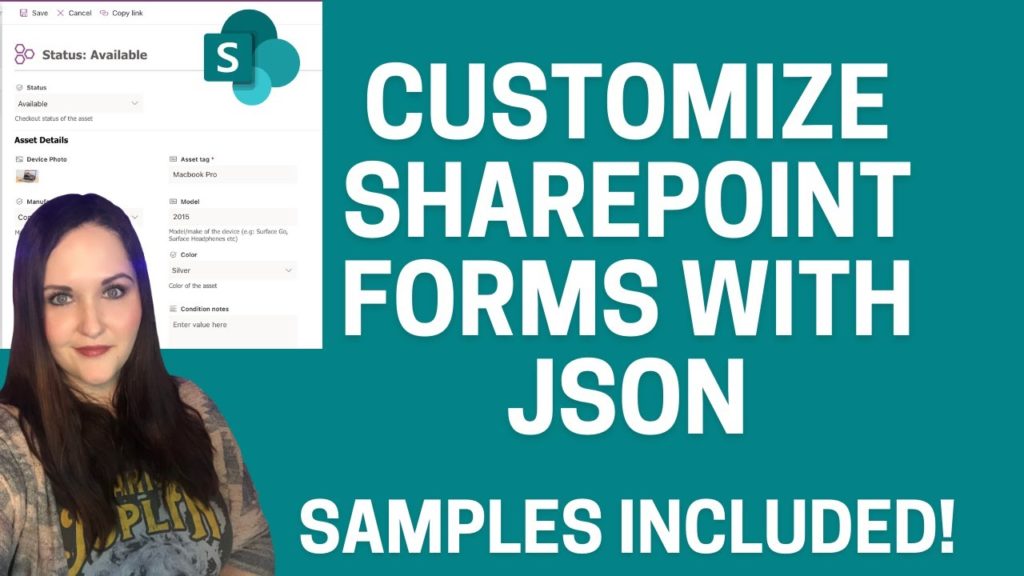 Do you need to make some simple list form customizations to your SharePoint/Microsoft Lists? In this video I go over some brand new functionality that allows you to do just that! Using the same technology called SharePoint List Formatting that allows us to customize the look and feel of our SharePoint columns and views, we… Read more: Customize SharePoint Forms with JSON
 Have you ever wanted to embed content from a website in your Power App? You can thanks to this iFrame PCF Component created by Yash Agarwal! In this video I show how to install the component and how you can use it to iFrame in content from you SharePoint, Microsoft Bookings and OneNote sites! Download… Read more: Power Apps iFrame Component
 In this Template Tuesday video I highlight a PCF Component created by Yash Agarwal that lets you export data from Power Apps directly to Excel! I’ll show how to download, install and set up the component so you cant start exporting your Power Apps data to Excel Download Yash’s Component here: https://github.com/yashag2255/exportToExcel Follow Yash on… Read more: Power Apps Export to Excel Component
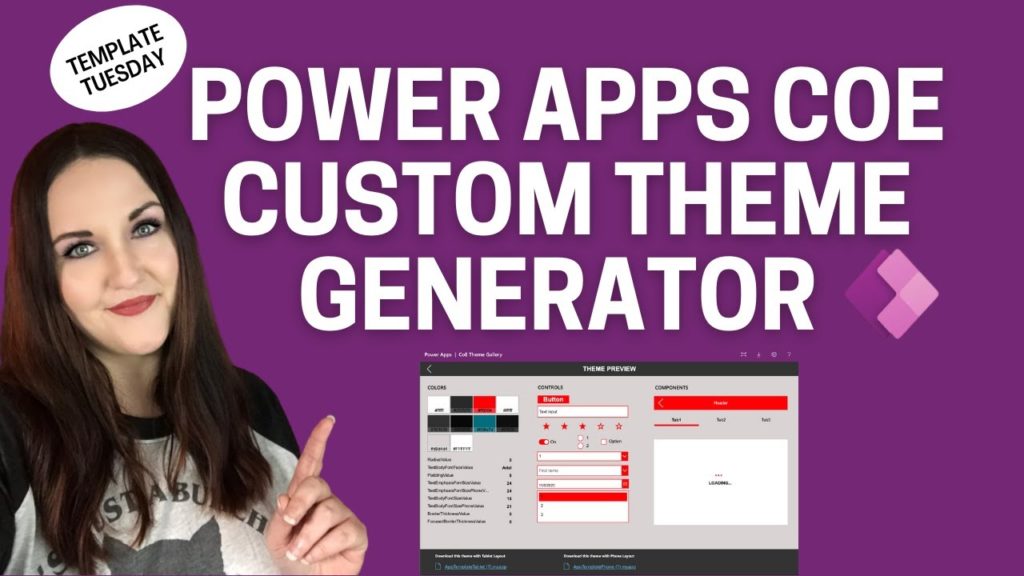 In this video you’ll learn about the Power Apps Custom Theme Generator that’s part of the Power Platform Center of Excellence (COE). This new theming component lets you create reusable custom themes for your applications! You’ll learn: ✅ What is the COE? ✅ What can the Theming Components do? ✅ How do I install the… Read more: Power Apps Custom Theme Generator with the COE
 Are you using Power Apps inside of Microsoft Teams? Have you wished you could create a link that takes you directly to your Teams embedded Power App or better yet to a specific screen in that app? Then check out this video to see how to implement Deep Linking in Teams Embedded Power Apps. I… Read more: Deep Linking in Teams Embedded Power Apps
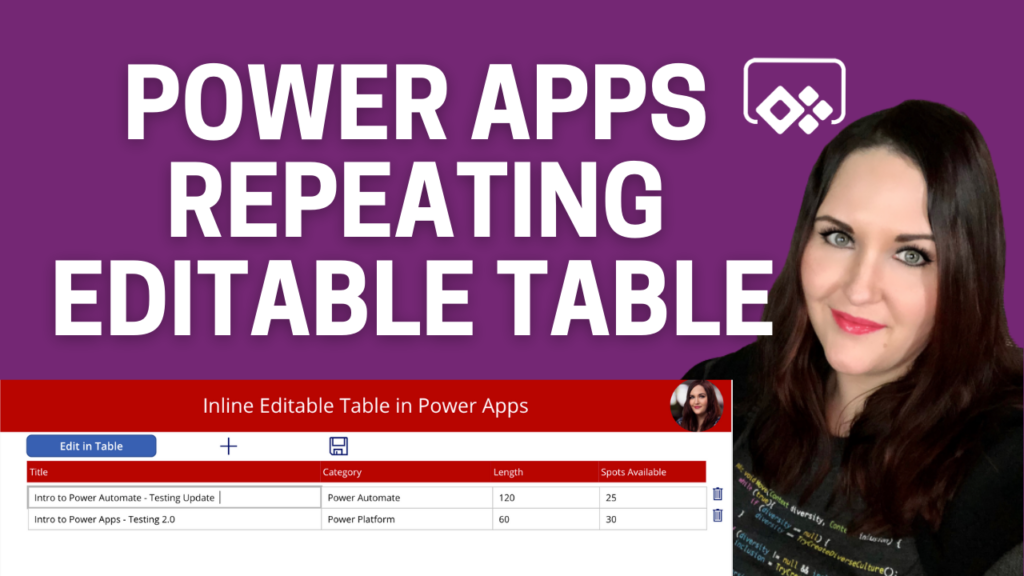 In this video I’ll walk you through all of the steps needed to create a repeating, inline editable table within Power Apps similar to what you would see in SharePoint’s Quick Edit Mode, Excel and InfoPath repeating tables. Key things that you’ll learn in this video include: ✅ Styling elements to look like an editable… Read more: Power Apps Editable Table
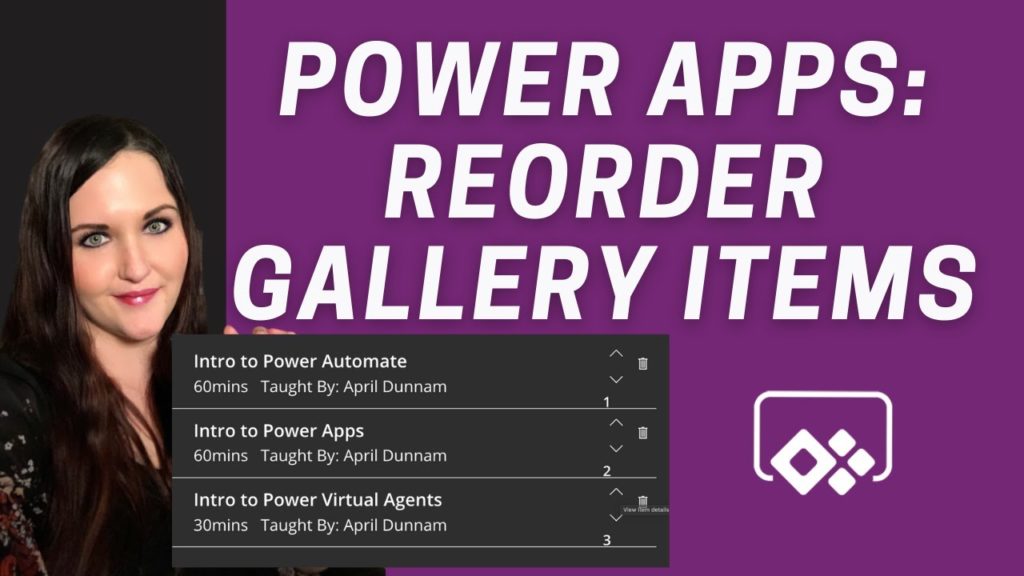 In this video I walk you through how you can create an inline reordering mechanism for a Power Apps gallery. I’ll show how to dynamically reorder the gallery items with up and down arrows to move them around. You’ll learn: ✅ How to add items to a collection ✅ How to delete items from a… Read more: Power Apps Reorder Gallery Items
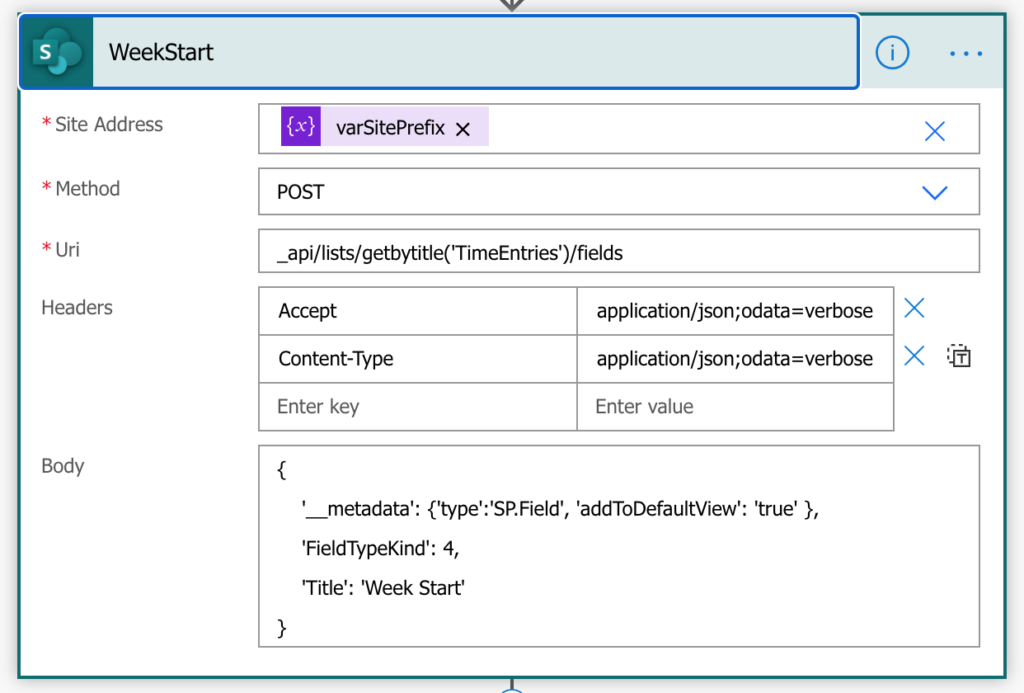 Power Platform Solutions make deploying CDS (now known as Dataflex Pro) based Power Apps and their underlying/related assets a breeze. But what if you want to package and deploy a Power App which uses SharePoint as a data source? In this article, I’m going to outline three approaches to help you package and deploy your… Read more: Deploying SharePoint-Based Power Apps
 The most common question that I’m asked is “I’m new to Power Apps, how do I get started?” Learning any new technology can be overwhelming. In this video I list the steps you need to take to start learning Power Apps. If you are brand new to Power Apps then this is the video to… Read more: How to get started with Power Apps
 Working from home has become a way of life for many of us due to the COVID-19 Pandemic. While this is new for some, I’ve worked from home for the past 4 years. I wanted to share my work from home set up to help give you some ideas to optimize your home office experience.… Read more: Home Office Must Have’s
 The COVID 19 pandemic has caused many of us to have to work from home. If you have housemates, it can prove to be difficult to keep them out of your home office when you’re in a meeting. I had an idea to get a light that I could turn Red so other know “None… Read more: WFH Hack – Smart Busy Lights
 I’m thrilled to be accepted to speak at the SharePoint Conference in Las Vegas, May 19-21, 2020! I remember going to the SharePoint Conference back when I was first starting out in IT years ago. This is one of my bucket list conferences to have the opportunity to present at. What’s in it for you?… Read more: Speaking at SharePoint Conference 2020 – Get Your Discount!
 Over the years I’ve enjoyed reading year in review blogs from some of my favorite bloggers like Sarah Haase. Since 2019 was such an eventful year for me that I decided to write a quick blog post to recap everything that happened. Stats Blog Posts Published: 22 Blog Views: 110,145 Blog Visitors: 70,145 YouTube Videos… Read more: 2019 Year in Review
 Do you need to get the value of a timer control to use in your Power Apps? Perhaps you want to keep track of how long it’s taking your users to fill out a form for example. In this post, I’ll show how you can put that timer value into a more user friendly format.… Read more: Power Apps Timer Output Formatting
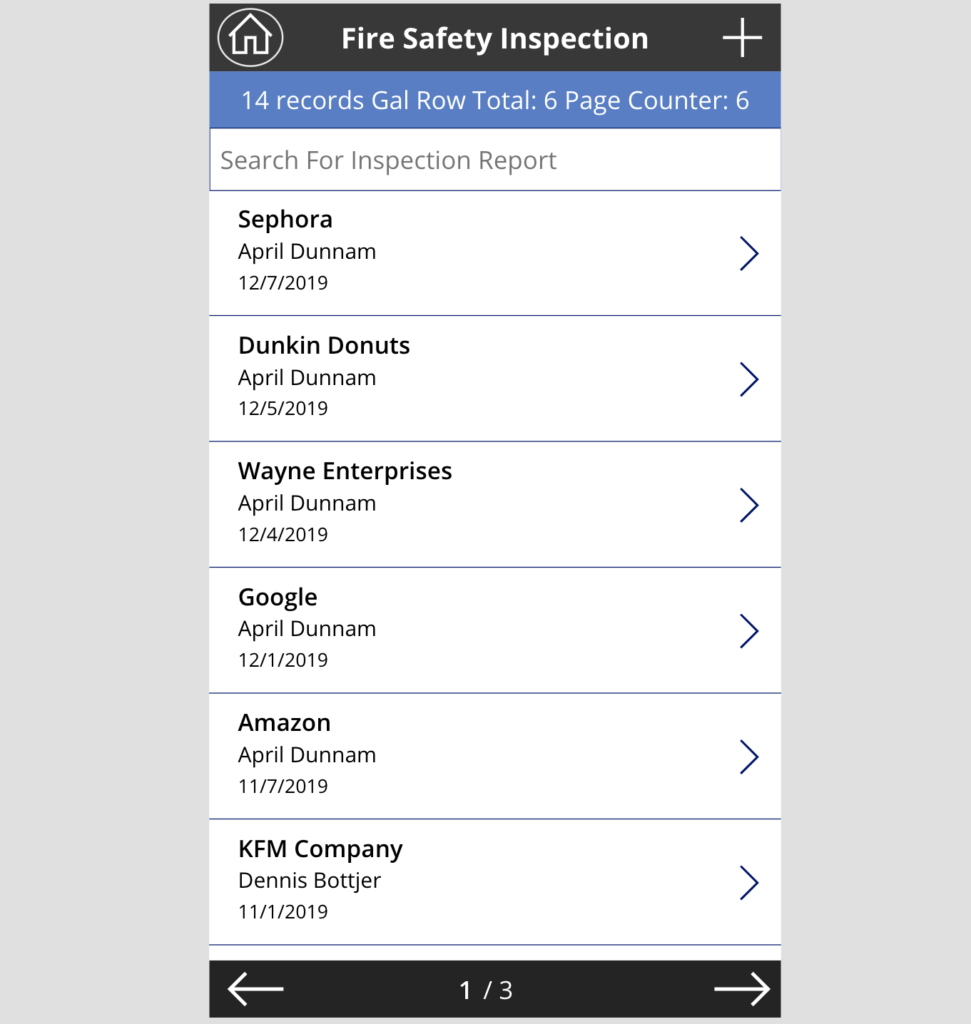 Do you have a lot of data that you want to surface up in a gallery inside Power Apps? I’ll show you a trick to take that data and put it in a paginated format so you can reduce vertical scrolling. If you want to see this in action and follow a walk-through in video… Read more: Paginated Galleries in Power Apps
 This week I had the opportunity to attend and speak at my first Microsoft Ignite event. I thought I would share a short write up of my experience. I hope you can indulge me as I walk down memory lane. The SharePoint + Teams Wedding I arrived late Sunday afternoon, just in time for SharePint.… Read more: Microsoft Ignite Recap
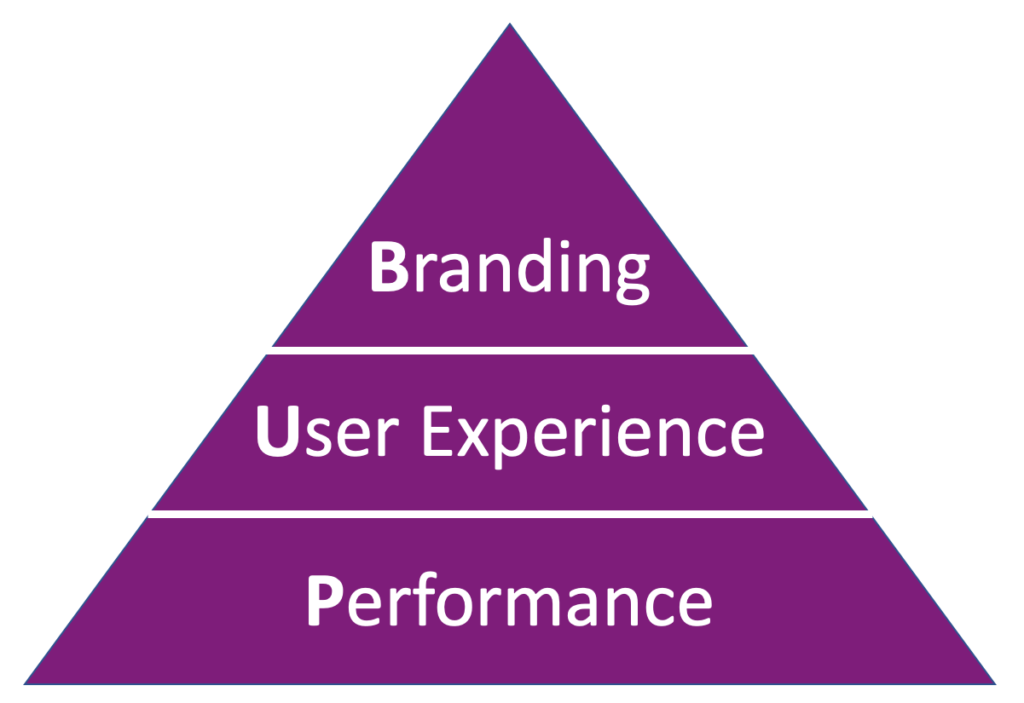 Since its release roughly 3 years ago, the usage of PowerApps has steadily increased. PowerApps makes it easier than ever for Citizen Developers to create mobile applications with less code and more power. But as Voltaire said, “With great power comes great responsibility”. In my work as a consultant, I’ve mentored many businesses on how… Read more: The PowerApps Pyramid
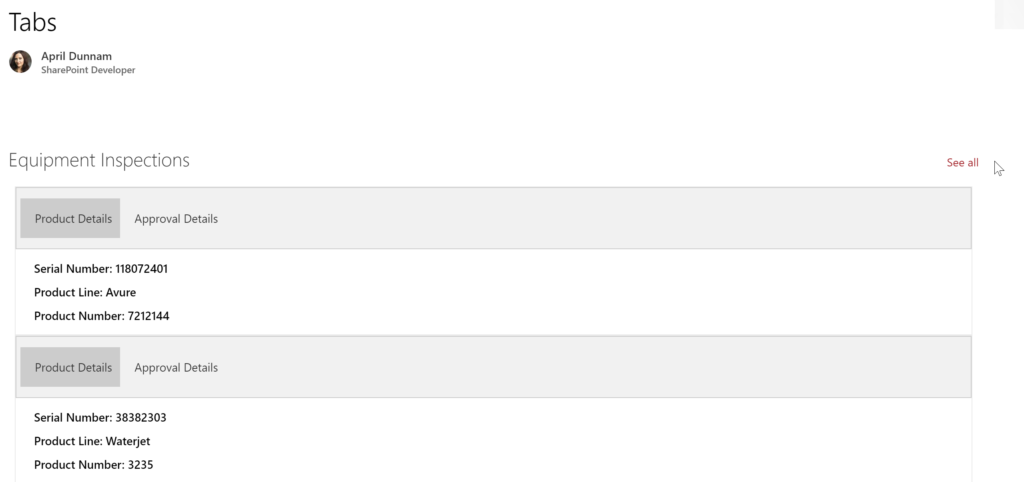 I’m a huge fan of the SharePoint List Formatting capabilities. It allows non-developers to easily transform their SharePoint lists to make them more useful and visually appealing. To get an idea of some of the things you can do with SharePoint List Formatting check out my other blog posts: Planner-Inspired Task Cards and Twitter Style… Read more: SharePoint List Formatting Tabs
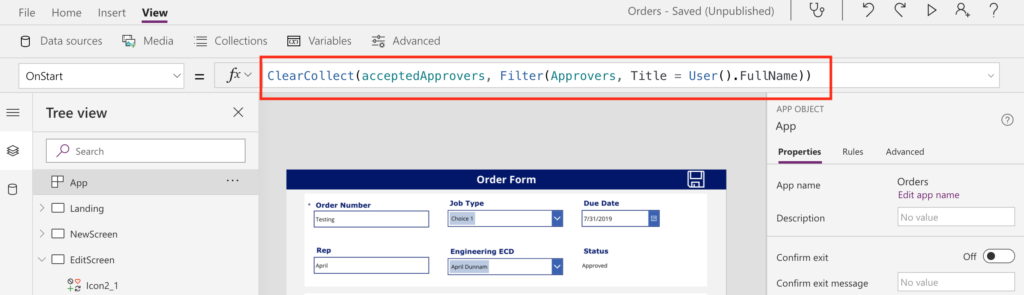 A common requirement when building out forms/applications in PowerApps is to apply security trimming to elements in your app. Take this scenario for example: You have a form which requires an approval. You only want certain users to be able to click the button to mark the form as approved. As with anything in PowerApps,… Read more: PowerApps Security Trimming Options
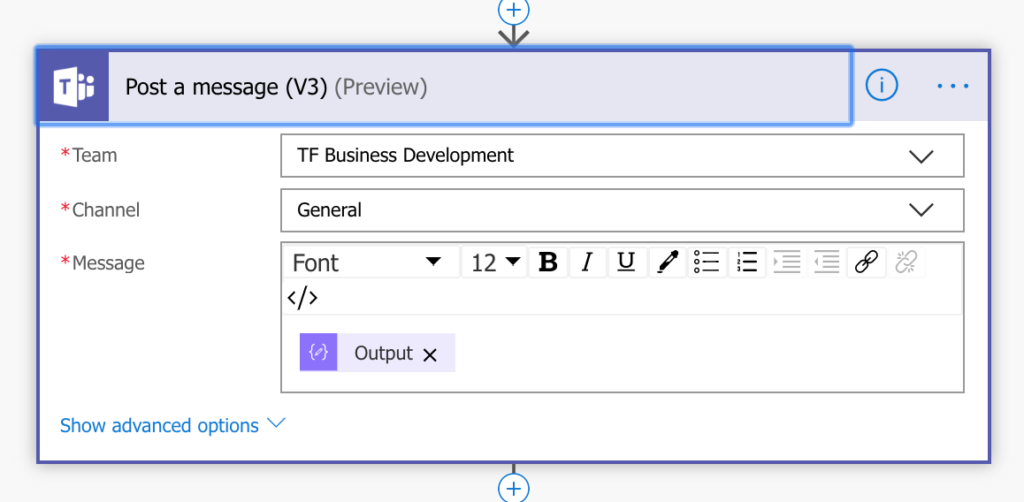 About a week ago, I did a video with Jon Levesque on his YouTube Channel on Alexa and Flow integration. In the video, I showed how to create an Alexa skill that calls a Flow which reads off your Planner tasks. The beauty of this approach is you can easily create an Alexa Skill with… Read more: Flow + Alexa – Post Message to Teams
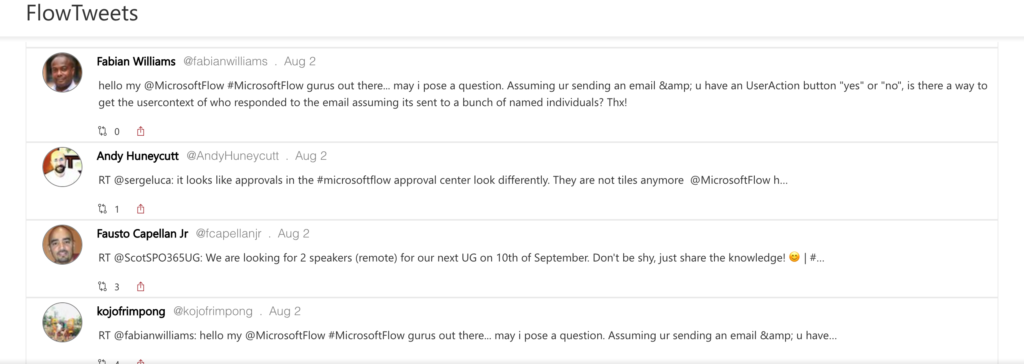 I seem to have gotten the SharePoint View Formatting bug. You might have saw my post the other day where I used View Formatting to make list items look similar to a Planner Task Card: https://aprildunnam.com/2019/08/planner-inspired-sharepoint-task-cards/ Today I had another inspiration for View Formatting when implementing a Flow for a client. They wanted to take… Read more: SharePoint Twitter Formatting
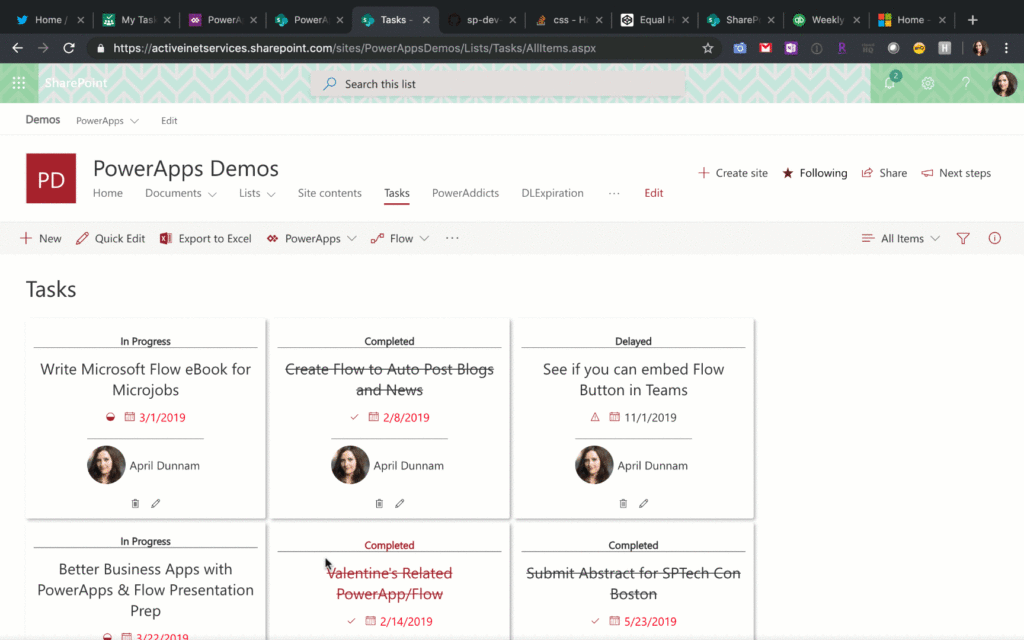 SharePoint List Formatting makes it easier than ever to customize the look and feel of your SharePoint list data. There are many samples and ideas to get you started on the Github repo: https://github.com/SharePoint/sp-dev-list-formatting/ You can apply this formatting by inserting blocks of JSON which manipulate the UI of your list items. I’ve been doing… Read more: Planner Inspired SharePoint Task Cards
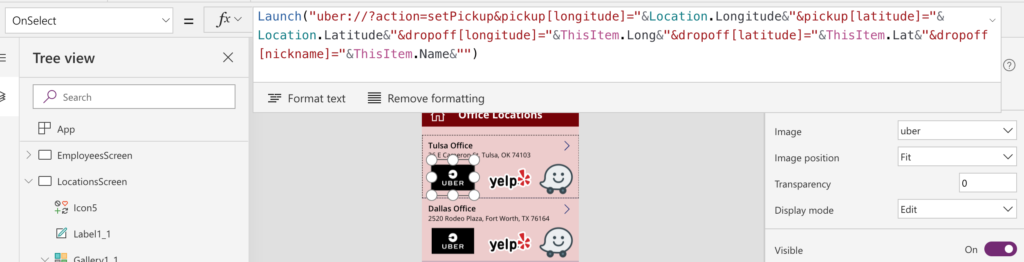 If you’ve built a few PowerApps then chances are you’re familiar with the Launch() function. You can use the Launch function to open up another website by passing in the URL like so: Launch(“https://www.thrivefast.com”) Say you want to launch Uber and you use the Launch function: Launch(‘https://www.uber.com’) That function will open up Uber in the… Read more: Launching Mobile App from PowerApps
 Awhile back I wrote a blog on how to get events from SharePoint and post the events for the day to a Teams Channel. If you’re interested in learning more you can reference that blog here: https://powerusers.microsoft.com/t5/Microsoft-Flow-Community-Blog/Get-SharePoint-Calendar-Events-and-Post-to-Teams/bc-p/324496#M649 The example in the blog utilizes the “Create an HTML Table” action in Flow to output the events… Read more: Formatting HTML Tables in Flow
 The Microsoft Business Applications conference kicked off this week with an action packed keynote. I’m going to break down and highlight what I feel are the top Power Platform related announcements from the conference. AI Builder in Preview The new AI Builder functionality was revealed in all it’s glory. Now you can take advantage of… Read more: Top Power Platform Announcements at MBAS
 They say that change is the only constant. When it comes to PowerApps, it seems like new features are added at lightning speed. Today I’m going to talk about two of the most recently added PowerApps features: The JSON Function and AI Builder Capability. PowerApps JSON Function Let’s start with the new JSON function. This… Read more: OCR and Image Upload with PowerApps
 If you follow my blog then you know that I am a big user and fan of Microsoft Flow. As much as I love Flow there are a few things here and there from the management side of things that I find myself wishing I could do. Luckily, John Liu has created a powerful Flow… Read more: Easier Flow Management with Flow Studio
 A common requirement I see in PowerApps is the need to restrict the dates that a user can select in a Date Picker. For example, when setting a due date you want to only allow the user to select a date at least 2 days in the future. Let me preface this post by saying… Read more: PowerApps – Restricting Date Picker Options
 Are there any other Dark Mode fans out there? I for one, am on the Dark Mode band wagon. I have it enabled in Visual Studio, Chrome and as soon as Mac OS offered a dark mode I made the switch. My love for all things dark mode got me thinking, wouldn’t it be nice… Read more: Microsoft Flow Dark Mode
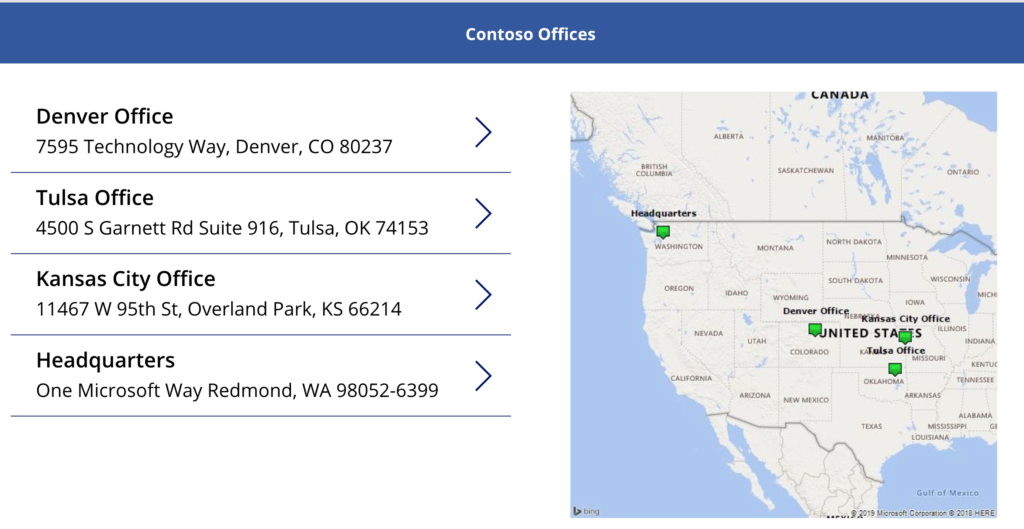 In this blog, I’m going to show you how to plot multiple points on a map in PowerApps using Bing Maps. I’ll be using a SharePoint list as my data source for the map locations, however, you can use whatever data source you want. SharePoint Structure The first step is to create a custom list… Read more: Plotting Multiple Map Points in PowerApps
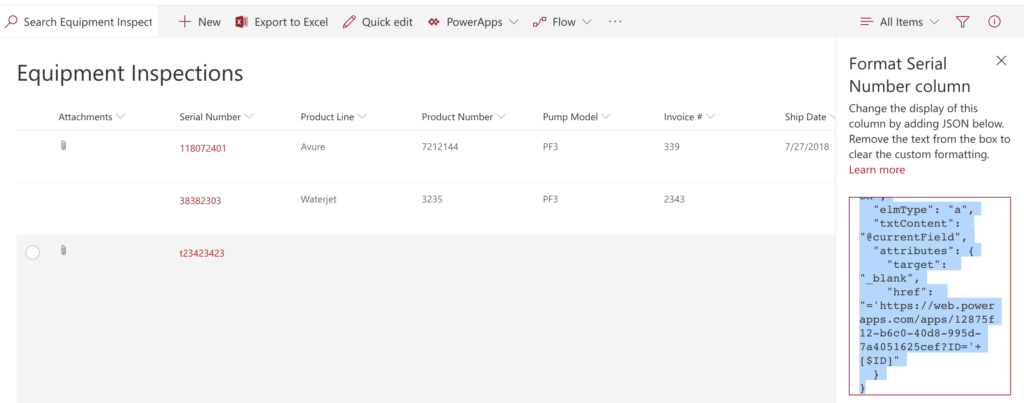 **Important Update** New functionality was added to PowerApps to allow guest access to apps via Azure AD. To accommodate for this, PowerApps now appends your Tenant ID to the URL of your app (see screenshot below for an example): For this method to work you’ll need to change the way your URL is formatted. You’ll… Read more: Opening PowerApp using SharePoint Column Formatting
 There’s a new Flow on the block that’s all about helping you send reminders based on a date in your SharePoint lists. Some useful scenarios for this type of Flow include: Get a notification the day before a Task is due Get notified 30 days before your driver’s license expires Receive a notification 60 days before… Read more: Using the New Set a Reminder Flow for SharePoint
 If you haven’t taken a look at the new Column Formatting capabilities in modern SharePoint you are missing out. I wrote a blog post awhile back on how to use Column Formatting to manually execute a Flow. There are a lot of other similar examples out on Github which you can find here: https://github.com/SharePoint/sp-dev-list-formatting. Use Case… Read more: SharePoint Column Formatting – Show Map in Rich Text Field
 Microsoft Planner is one of the Office 365 Tools that I use pretty heavily. It’s a great lightweight project management tool that helps me organize and see my tasks in a nice Kanban style board. The concept is pretty simple, you create a “Plan” for the project you are working on and associate tasks with… Read more: Aggregating Planner Tasks to SharePoint Using Flow
 I worked on a project recently where the customer wanted to send an email via Flow to all the members of a given SharePoint Security Group. Normally I would recommend that a distribution list be made and used instead but the client didn’t have the access to create one so I added some logic in… Read more: Flow: Send Email to SharePoint Group Members
 We all know Microsoft Flow is a beast of a tool for business process automation. One of the few things it can’t do natively is integration with smart home devices such as WEMO and Phillips Hue lights. So what’s a girl to do if she wants to control her smart lights using Flow? We can… Read more: Microsoft Flow Smart Light Automation with IFTTT
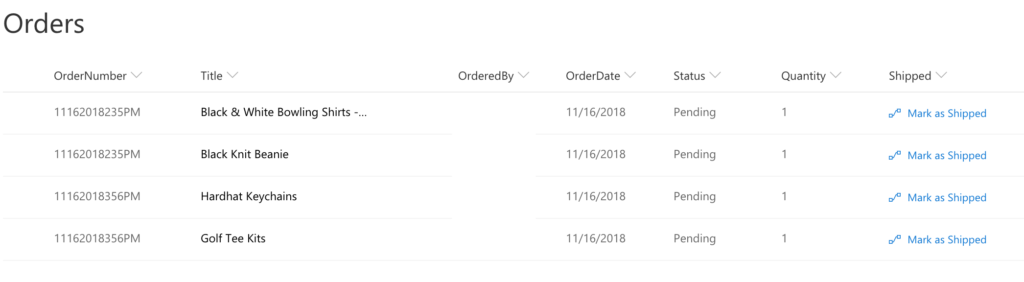 Background I just wrapped up a project where I created a company store application using a combination of SharePoint (for the back-end lists), PowerApps (for the front end interface) and Flow (for the workflow/business logic). I should probably do a detailed video showing off the solution as a whole at some point but for now,… Read more: Manually Executing a Flow from SharePoint with Column Formatting
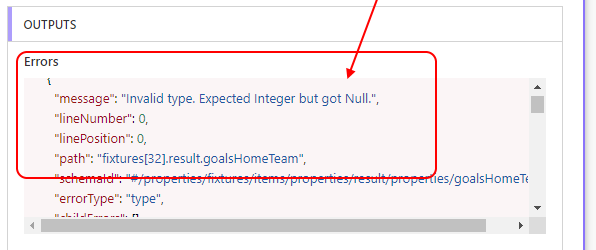 One of my favorite actions in Flow is the ability to call an HTTP web service, parse the JSON and do whatever you want with the data. The problem is, if you don’t come from a development background then it can be a little intimidating to figure out how to parse the data returned from… Read more: Flow Parse JSON Null Error Fix
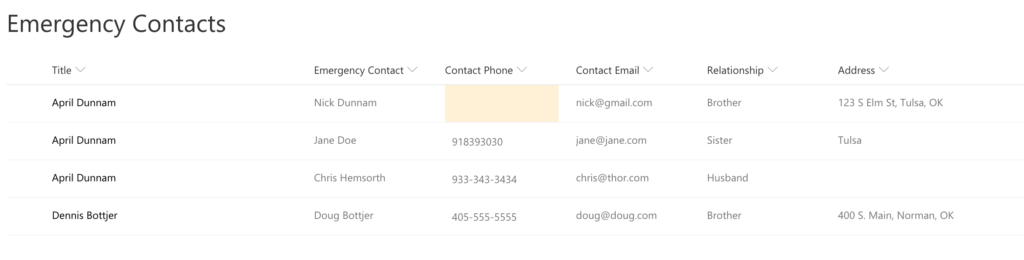 I’ve been playing around with the new SharePoint column formatting capabilities lately. Microsoft has released the ability to apply formatting to your MODERN SharePoint list columns via JSON. The PNP team has a ton of great examples out there that you can reference. Here’s a link to some great documentation to get you started: https://docs.microsoft.com/en-us/sharepoint/dev/declarative-customization/column-formatting Desired… Read more: SharePoint Column Formatting – Highlight Null Values
 It seems like every day I hear about yet another data breach. I decided it was time to do take every precaution I can to protect my Office 365 account, so I enabled Multi Factor Authentication (MFA) for our company. The day after enabling MFA, I got this email telling me one of my Flow’s… Read more: PSA – Enabling MFA for O365 may break Flow Connections
 With the increasing popularity of the cloud, more and more business are moving from legacy on-prem SharePoint to SharePoint Online. The path to SharePoint Online from on-prem can be daunting, especially if you have a lot of custom code. One of the most common code we see in legacy on-prem SharePoint environments are timer jobs.… Read more: Using Flow to Replace SharePoint Timer Jobs
 I recently had the opportunity to present with Microsoft at a local Maker Faire event in my home town. Maker Faire is an annual event that celebrates arts, crafts, science projects and the “Do It Yourself” mindset. The event featured everything from a DIY electric motorcycle and robotics competition to custom woodworking and gaming. … Read more: Maker Faire Journey – Contest Automation with Microsoft Flow & Forms
 Have you ever thought, wouldn’t it be great if there was an app that could do X (insert your idea here)? Or maybe, I really love this one app but if I could just add this functionality then it would be really useful. Thousands of people each day have brilliant ideas for applications but fail… Read more: PowerApps – More Than a Business Tool
 Let’s talk about Business Cards. Yes, it is 2018 and we are all still killing trees and carrying around business cards like we’re Don Draper. I for one am tired of junking up my desk with business cards so I decided to do something about it. Wouldn’t it be cool if you could take a picture… Read more: Business Card Importer with Flow & Cognitive Services
 Good Morning PowerApps and Flow Fans! With the 1st Annual Microsoft Business Application Summit Keynote wrapping up, it’s time for another installment of April’s Favorite Things: The Microsoft Business Application Summit Edition. The MS Biz Apps Summit is focused on the “Power Platform”: Dynamics, PowerApps, Flow and PowerBI. The big announcements from the keynote… Read more: April’s Favorite Things: Microsoft Business Applications Summit Edition
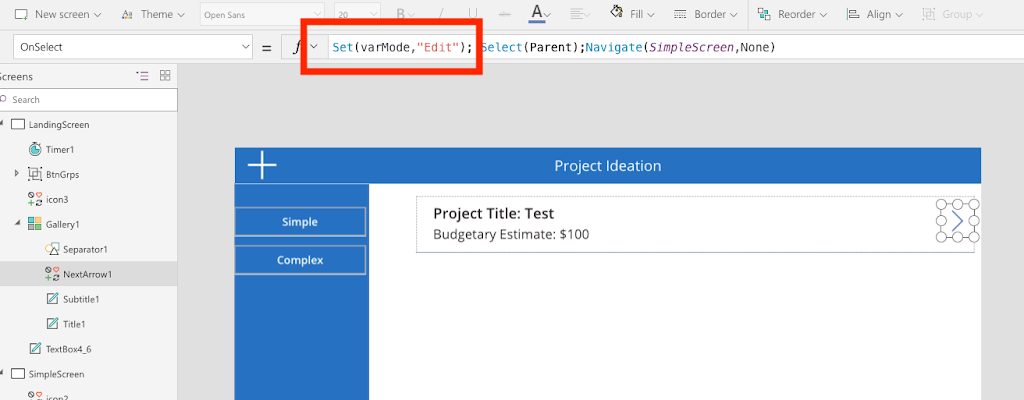 Today I want to talk about something extremely simple but I find is either not known or overlooked. In PowerApps, you use Form Controls to enter and edit data. These Form Controls have different Modes: New – To add a New Item to your DataSource Edit – To Edit an Existing Item in your… Read more: Same Form Control for New and Edit Mode in PowerApps
 Request Manager Approval for Leave Requests Template In the latest installment of “The More You Know Flow” I will be covering the Request Manager Approval for Leave Requests Flow Template. In my work as a consultant, one of the most consistently requested things I see is to create an automated process for PTO requests. I’ve… Read more: Leave Request Approval Flow Template
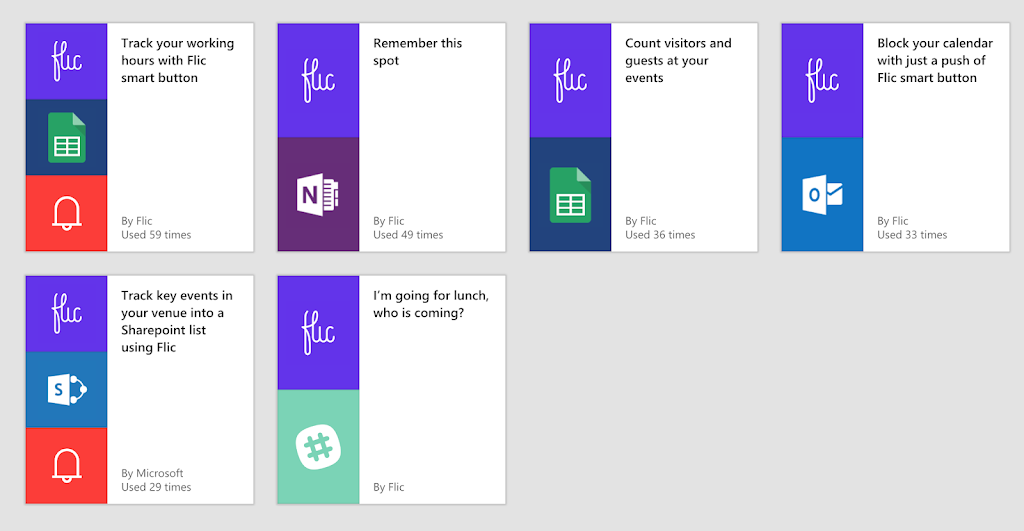 A couple weeks ago, I was surfing through Twitter and saw a post about a Microsoft Flow Smart Button. I was bummed when I found out I couldn’t get an official Microsoft Flow Button so I decided to order the Flic Smart Bluetooth button instead. The Flick button allows you to connect to almost any… Read more: Automated Running Late Notice With Flow and Flic Button
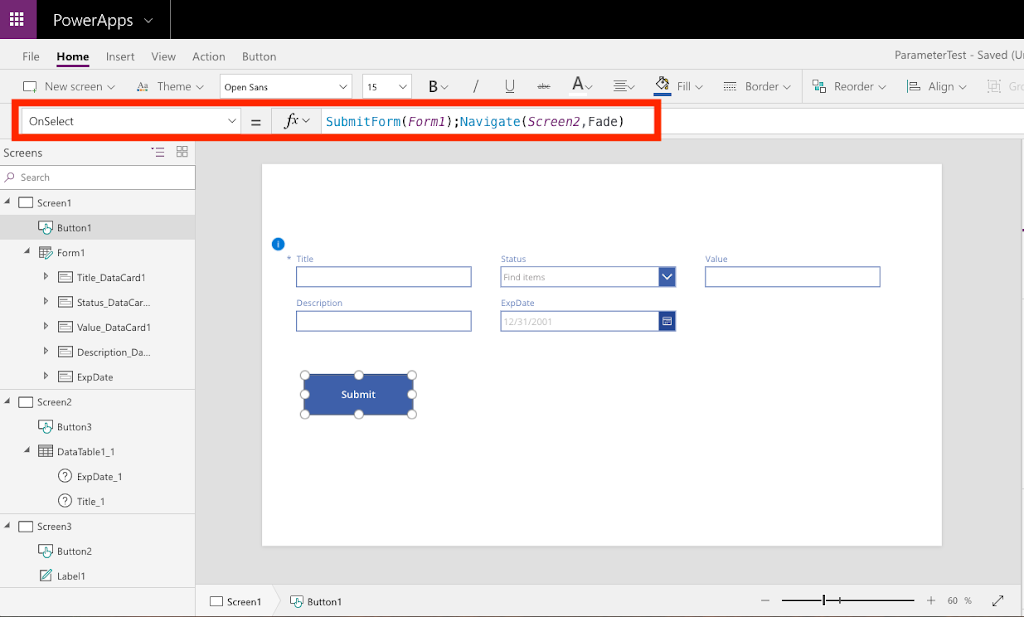 I discovered a bug in PowerApps yesterday that I wanted to share so I could spare everyone else from the headache that it caused me. Scenario: I created a Blank PowerApp and added a data connection to a SharePoint list. This list had a few fields, one of them being a date field. I added… Read more: PowerApps Bug: SharePoint Date Field Not Populated
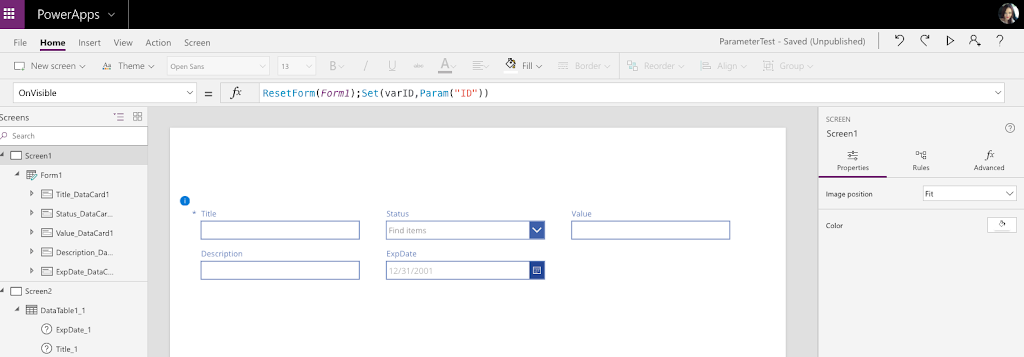 Today I’m going to talk about how and why you would want to pass parameters to use within your PowerApp. Desired Functionality A client has a SharePoint list of employee certifications and their expiration dates. The client wanted to implement a solution where the employee would be notified via e-mail automatically 30 days prior to… Read more: Passing Parameters to a PowerApp
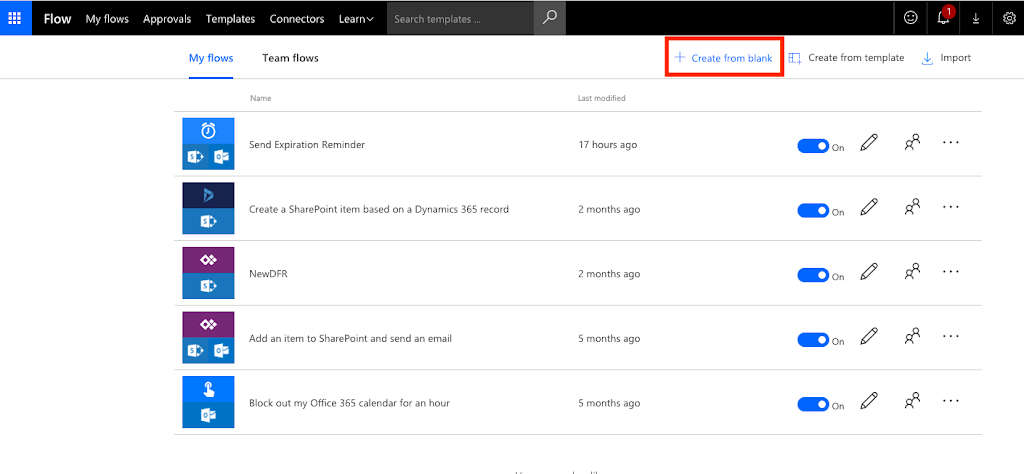 This is part one of a two-part post. In this post, I will show you how to use Microsoft Flow within O365 to send reminder emails based on a date in a SharePoint list. Desired Functionality A client has a SharePoint list of employee certifications and their expiration dates. They want to implement a solution… Read more: Using Flow to send Email Reminder from SharePoint Data
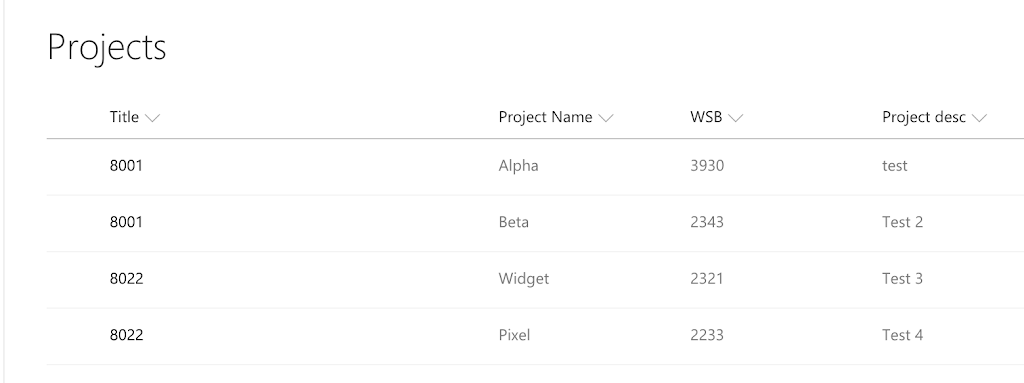 In this post, I’ll show you how to create a cascading dropdown that posts back to lookup fields in SharePoint. Backend Configuration I have two lists in SharePoint Online: 1) Projects – This list holds project information such as the Project #, Project Name, Description, etc. The list has multiple Project #’s. A single Project… Read more: Cascading Dropdowns in PowerApps SharePoint Lookups
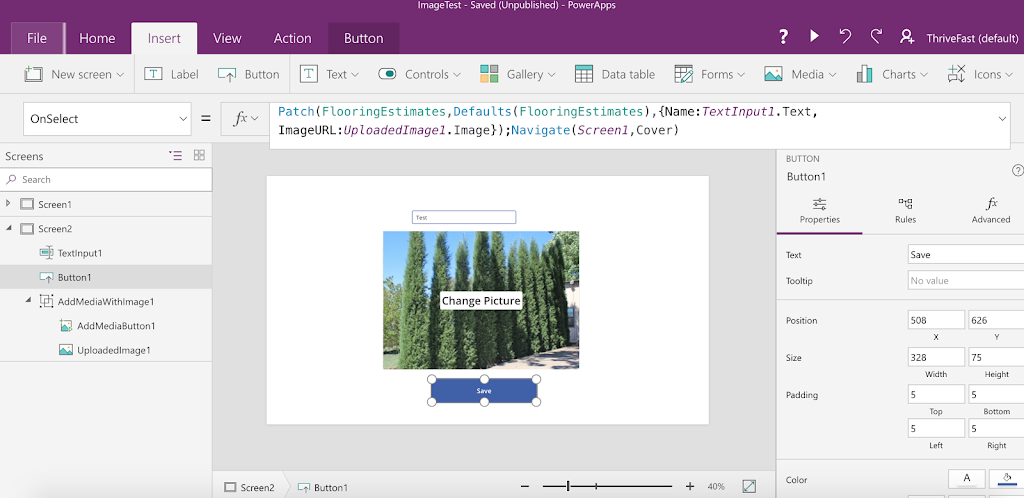 Background Over the past year I’ve been doing a lot of work in PowerApps. I’ve tried some of the sample apps and created several apps based off SharePoint lists. Overall, I’ve been pretty impressed with how easy it was to set up and use. A client came to me a couple months ago needing some… Read more: PowerApps Image Storage Issues
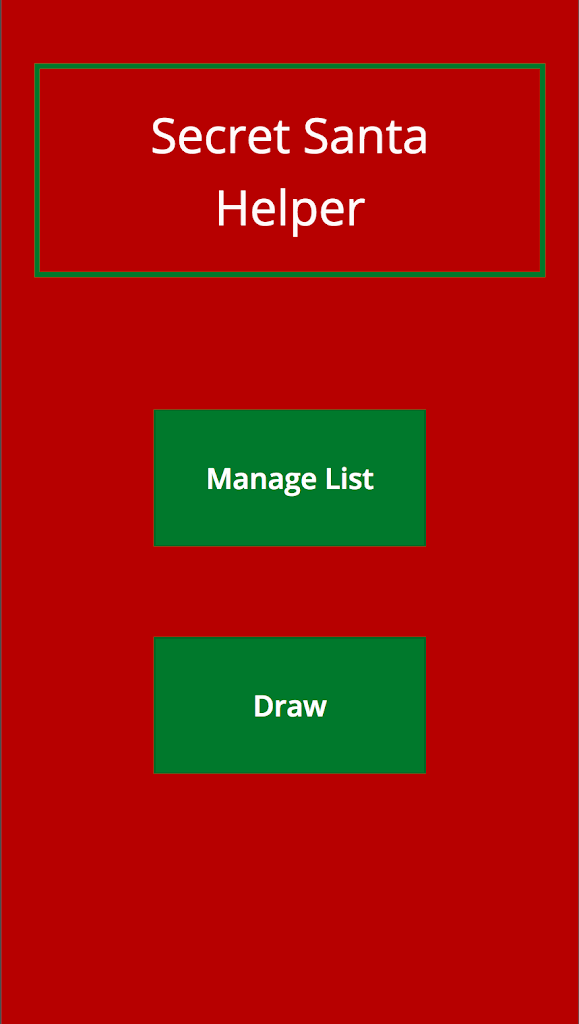 It’s that time of year again, the holiday gift giving season has arrived. For some of you that means it’s time for Secret Santa at the office. I decided this would be a great opportunity to showcase how quickly you can build an app with PowerApps. Today I will walk you through how to create… Read more: Build a Secret Santa App in 20 Minutes or less with PowerApps
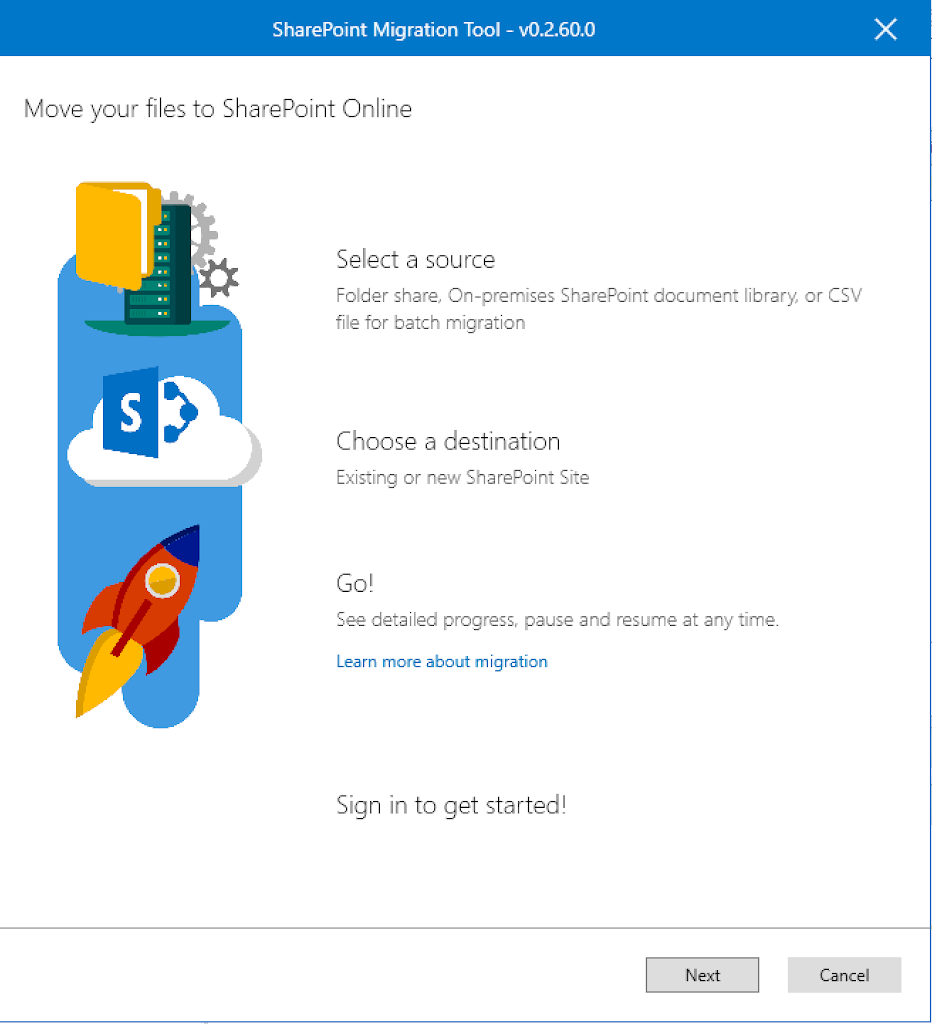 Today, Microsoft released a new FREE SharePoint Migration Tool. With this free new tool you can: Copy files from a SharePoint 2013 On-Prem Document Library to OneDrive or SharePoint Online Copy files from a file share to OneDrive or SharePoint Online Who’s it for? The End User/Power User/IT Pro who has several documents on a… Read more: Quick Guide to the SharePoint Migration Tool from Microsoft